Sponsored

Porsche EV Insights v2.0 - Now with Live Vehicle Data

BjörnfromHamburg

Well-Known Member
First Name
Björn
Joined
Sep 7, 2024
Threads
2
Messages
743
Reaction score
740
Location
Hamburg, Germany
Vehicles
Taycan Turbo S Cross Turismo 2022, 992.2 CarreraT convertible
Country flag
Greetings from Torres Novas and obrigado tambem...
Muito impressionante!
Mais uma pergunta: Qual é o tua objetivo?
Sponsored

 
OP
OP

jpleite

Active Member
First Name
JP
Joined
Jan 30, 2026
Threads
2
Messages
32
Reaction score
59
Location
Porto, Portugal
Vehicles
Tacan Cross Turismo
Country flag
Greetings from Torres Novas and obrigado tambem...
Muito impressionante!
Mais uma pergunta: Qual é o tua objetivo?
Obrigado. I did this app to myself as I like to analyze data. So my goal initially was to prove perceptions with data. Later I may turn this into an app that can perform car remote functions and automations but my goal here is to have a collaborative an open source app.
Cumprimentos
 

questionmillennium

Well-Known Member
Joined
May 20, 2025
Threads
6
Messages
113
Reaction score
50
Location
Atlanta, GA
Vehicles
Cayenne E-Hybrid, Taycan 4S
Country flag
Obrigado. I did this app to myself as I like to analyze data. So my goal initially was to prove perceptions with data. Later I may turn this into an app that can perform car remote functions and automations but my goal here is to have a collaborative an open source app.
Cumprimentos
Then it would truly be like the Tessie app!

Some suggestions/ideas:

1. Energy efficiency as a percentage based on Wh/mi

2. A way for us to input home and work charging prices for more accurate electric costs and savings. Maybe even cost of fast charging at our favorite charging spots. This can be based on location so input doesn’t have to manually put in every time. It sounds like this could take up a lot of your time if it’s even possible so no worries if you have no desire to do this.

3. Are you able to see charging data like kWh charged and charging time?

I‘m just looking at some old data from the Tessie app to offer these suggestions
 

Shug

Well-Known Member
First Name
Harry
Joined
Oct 2, 2024
Threads
4
Messages
251
Reaction score
87
Location
Manchester
Vehicles
Taycan 4S, Cayenne Turbo, Cayman
Country flag
So clever of you to put all this together jpleite.

If you had the ability to set the vehicle to start and stop charging at specific times, you would deliver what Porsche and the Octopus app has failed to produce for me.

The closest I get to managing the overnight charge is to use a timer in the Porsche app to stop charging at 5:30 am with a charge % increase maximum of 43%.

Your app logs in to my account in no time at all and would I assume be capable of delivering an accurate set of charge times if you knew the required code.


Thanks again for your great work.
 

okkotonushi

Well-Known Member
First Name
Dirk
Joined
Feb 4, 2021
Threads
4
Messages
104
Reaction score
87
Location
Germany
Vehicles
Porsche Taycan 4S+, Porsche Taycan CT Turbo S, Porsche 992 S, Genesis GV60 Sport
Country flag
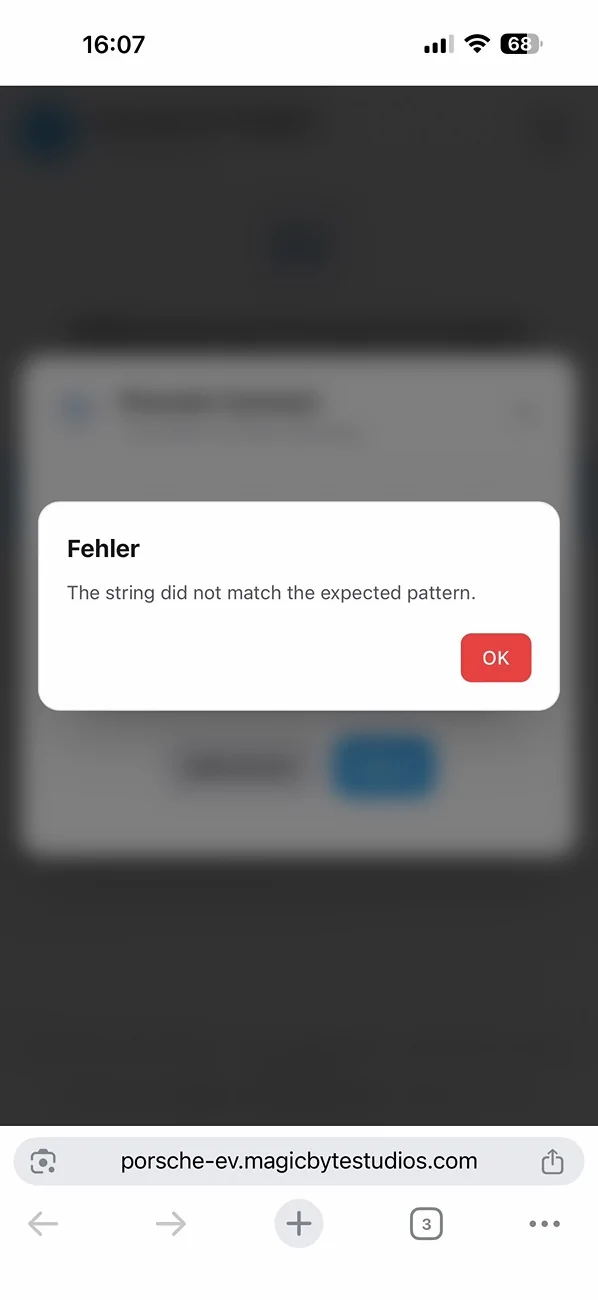
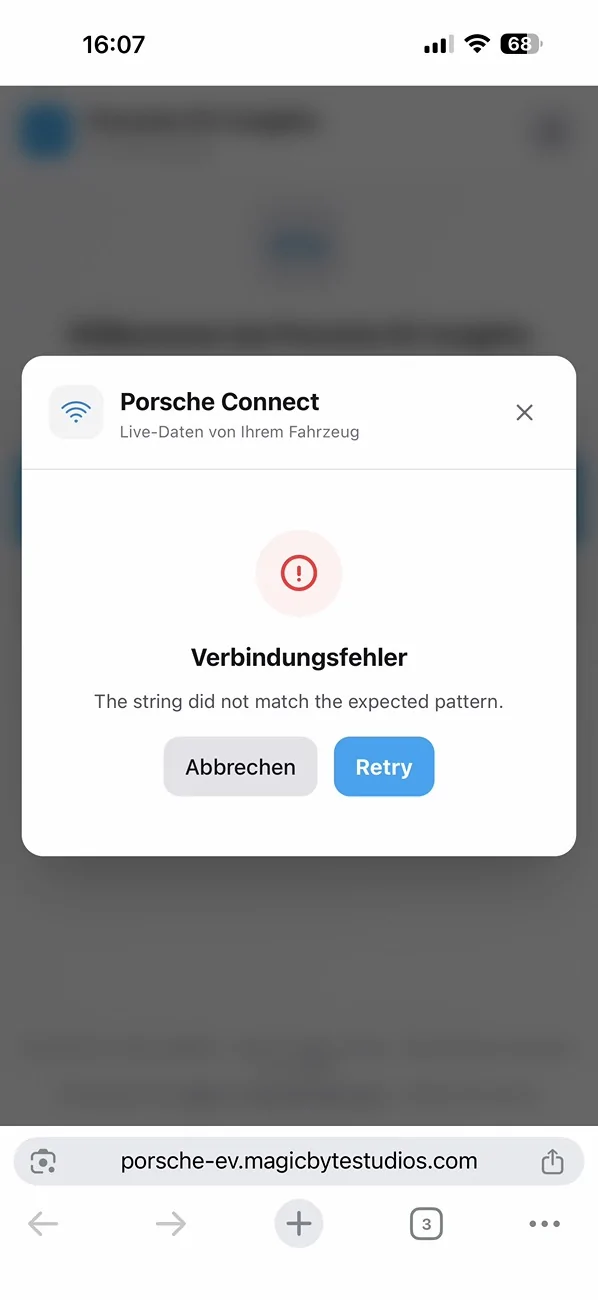
Just checked. Not working without subscription 😢

Porsche Taycan Porsche EV Insights v2.0 - Now with Live Vehicle Data IMG_0830


Porsche Taycan Porsche EV Insights v2.0 - Now with Live Vehicle Data IMG_0831


mpaulus007

Well-Known Member
First Name
Michael
Joined
Oct 4, 2023
Threads
21
Messages
65
Reaction score
77
Location
Germany
Vehicles
GTS ST
Country flag
Feedback and feature requests welcome!
OMG, this is phenomenal!!! Love it.
Feature request: Have the following additional buckets:
- Long trips > 100 km / > 200 km
- speed: > 120 km/h / > 150 km/h / > 190 km/h
 

CrazyINP

Well-Known Member
Joined
Aug 3, 2025
Threads
10
Messages
193
Reaction score
54
Location
SouthBay, NorCal USA
Vehicles
2023 Turbo S CT
Country flag
is it just mean, but I can't connect my porsche to download data anymore. It was working just fine couple weeks ago and now is not.


SoccerMan94043

Well-Known Member
Joined
Nov 24, 2025
Threads
25
Messages
685
Reaction score
452
Location
San Jose
Vehicles
2025 Taycan GTS
Country flag
I'm receiving a "Failed to obtain authorization code". If I had to guess after 5 minutes of playing in the code, it's due to a bad API key because the login is working on the web and on the My Porsche app.

I've having Claude play around however to see if I can update the auth mechanism, in case the key is still good.

Edit: Claude got it working (to be clear I wasn't worried about privacy, so I'm not sure this would be the direction @jpleite would want):


1. Wrong OAuth state parameter (root cause)
The Auth0 login flow generates its own state parameter (e.g., hKFo2SB6S21F...) in the redirect URL after Step 1. The original code was passing our self-generated state (xgspzyyk1m9) to the identifier and password steps instead of the Auth0-assigned one. Without the correct state, the auth server completed the login but redirected to my.porsche.com instead of returning an authorization code via the OAuth callback.

Fix: Extract the state parameter from the Auth0 redirect URL (/u/login/identifier?state=...) instead of relying on a hidden HTML input or our generated value.


2. Broken cookie management
The original code concatenated cookies with string appending (cookies += '; ' + extractCookies(response)), which created duplicate cookie entries when the auth server updated a cookie's value. This could corrupt the session state.

Fix: Replaced with a CookieJar class that stores cookies by name in a Map, so updates properly overwrite previous values.

Minor: Also added the X-Client-ID header to all auth requests to match the pyporscheconnectapi reference implementation.
 
Last edited:

SoccerMan94043

Well-Known Member
Joined
Nov 24, 2025
Threads
25
Messages
685
Reaction score
452
Location
San Jose
Vehicles
2025 Taycan GTS
Country flag
BTW @jpleite

It looks like you mean for the settings changes to persist. Unfortunately there is a race condition at load time where the settings are loaded before the the default, losing all setting changes.

Claude said this:

Code:
Fix Settings Race Condition                                                                                         

 Context
                                                                                                                    
 Settings (electricity price, currency, unit system, etc.) are persisted to localStorage but get overwritten on app 
 load. The root cause is that useState initializes with hardcoded defaults, then a useEffect loads saved values     
 after the first render. This triggers the unit system auto-correction useEffect which overwrites derived settings   
 (currency, fuel/elec format) with defaults for that unit system, losing the user's saved preferences.               
                                                                                                                    
 Approach

 Use useState initializer functions to load saved settings synchronously before first render, eliminating the race
 condition entirely. This matches the pattern already used successfully for themeMode, selectedConnectVin, and
 language in the same codebase.

 Changes

 src/App.jsx

 1. Replace hardcoded useState defaults (lines ~57-64) with initializer functions that read from localStorage:
 const [electricityPrice, setElectricityPrice] = useState(() => {
   const saved = safeStorage.get(STORAGE_KEYS.SETTINGS);
   return saved?.electricityPrice ?? 0.25;
 });
 1. Apply this pattern to all settings: electricityPrice, petrolPrice, petrolConsumption, batteryCapacity,
 unitSystem, currency, fuelConsFormat, elecConsFormat, and pressureUnit.
 2. Remove the loading useEffect (lines ~111-157) that calls safeStorage.get(STORAGE_KEYS.SETTINGS) and sets all the
  state — it's no longer needed since state is initialized correctly.
 3. Keep the auto-correction useEffect (lines ~410-432) but it will no longer cause problems since unitSystem won't
 change from default→saved after mount.

 Verification

 1. Open the app, go to Settings, change currency/units to non-default values
 2. Close and reopen the browser tab
 3. Confirm settings page shows the saved values, not defaults
 

Detect

Well-Known Member
First Name
Detect
Joined
Oct 6, 2023
Threads
3
Messages
64
Reaction score
81
Location
USA
Vehicles
Taycan Turbo S, BMW i4
Country flag
BTW @jpleite

It looks like you mean for the settings changes to persist. Unfortunately there is a race condition at load time where the settings are loaded before the the default, losing all setting changes.

Claude said this:

Code:
Fix Settings Race Condition                                                                                        

Context
                                                                                                                   
Settings (electricity price, currency, unit system, etc.) are persisted to localStorage but get overwritten on app
load. The root cause is that useState initializes with hardcoded defaults, then a useEffect loads saved values    
after the first render. This triggers the unit system auto-correction useEffect which overwrites derived settings  
(currency, fuel/elec format) with defaults for that unit system, losing the user's saved preferences.              
                                                                                                                   
Approach

Use useState initializer functions to load saved settings synchronously before first render, eliminating the race
condition entirely. This matches the pattern already used successfully for themeMode, selectedConnectVin, and
language in the same codebase.

Changes

src/App.jsx

1. Replace hardcoded useState defaults (lines ~57-64) with initializer functions that read from localStorage:
const [electricityPrice, setElectricityPrice] = useState(() => {
   const saved = safeStorage.get(STORAGE_KEYS.SETTINGS);
   return saved?.electricityPrice ?? 0.25;
});
1. Apply this pattern to all settings: electricityPrice, petrolPrice, petrolConsumption, batteryCapacity,
unitSystem, currency, fuelConsFormat, elecConsFormat, and pressureUnit.
2. Remove the loading useEffect (lines ~111-157) that calls safeStorage.get(STORAGE_KEYS.SETTINGS) and sets all the
  state — it's no longer needed since state is initialized correctly.
3. Keep the auto-correction useEffect (lines ~410-432) but it will no longer cause problems since unitSystem won't
change from default→saved after mount.

Verification

1. Open the app, go to Settings, change currency/units to non-default values
2. Close and reopen the browser tab
3. Confirm settings page shows the saved values, not defaults
nice investigation. open pull requests for changes
 
OP
OP

jpleite

Active Member
First Name
JP
Joined
Jan 30, 2026
Threads
2
Messages
32
Reaction score
59
Location
Porto, Portugal
Vehicles
Tacan Cross Turismo
Country flag
I'm receiving a "Failed to obtain authorization code". If I had to guess after 5 minutes of playing in the code, it's due to a bad API key because the login is working on the web and on the My Porsche app.

I've having Claude play around however to see if I can update the auth mechanism, in case the key is still good.

Edit: Claude got it working (to be clear I wasn't worried about privacy, so I'm not sure this would be the direction @jpleite would want):


1. Wrong OAuth state parameter (root cause)
The Auth0 login flow generates its own state parameter (e.g., hKFo2SB6S21F...) in the redirect URL after Step 1. The original code was passing our self-generated state (xgspzyyk1m9) to the identifier and password steps instead of the Auth0-assigned one. Without the correct state, the auth server completed the login but redirected to my.porsche.com instead of returning an authorization code via the OAuth callback.

Fix: Extract the state parameter from the Auth0 redirect URL (/u/login/identifier?state=...) instead of relying on a hidden HTML input or our generated value.


2. Broken cookie management
The original code concatenated cookies with string appending (cookies += '; ' + extractCookies(response)), which created duplicate cookie entries when the auth server updated a cookie's value. This could corrupt the session state.

Fix: Replaced with a CookieJar class that stores cookies by name in a Map, so updates properly overwrite previous values.

Minor: Also added the X-Client-ID header to all auth requests to match the pyporscheconnectapi reference implementation.

Hello. Porsche recently changed their authentication system — they moved to a new OAuth flow with PKCE and updated their Auth0 Universal Login pages. This broke the Porsche Connect login in the app. I've updated the entire auth flow to match Porsche's current mobile app implementation, so login works again.
 
OP
OP

jpleite

Active Member
First Name
JP
Joined
Jan 30, 2026
Threads
2
Messages
32
Reaction score
59
Location
Porto, Portugal
Vehicles
Tacan Cross Turismo
Country flag
@jpleite did porsche API stopped working?
Hello. Porsche recently changed their authentication system — they moved to a new OAuth flow with PKCE and updated their Auth0 Universal Login pages. This broke the Porsche Connect login in the app. I've updated the entire auth flow to match Porsche's current mobile app implementation, so login works again.
 
OP
OP

jpleite

Active Member
First Name
JP
Joined
Jan 30, 2026
Threads
2
Messages
32
Reaction score
59
Location
Porto, Portugal
Vehicles
Tacan Cross Turismo
Country flag
is it just mean, but I can't connect my porsche to download data anymore. It was working just fine couple weeks ago and now is not.
Sorry guys. Porsche recently changed their authentication system — they moved to a new OAuth flow with PKCE and updated their Auth0 Universal Login pages. This broke the Porsche Connect login in the app. I've updated the entire auth flow to match Porsche's current mobile app implementation, so login works again.
Sponsored


Top