Sponsored

Interested in an unofficial Apple Watch app?

OP
OP
electricsidecar

electricsidecar

Well-Known Member
Joined
Oct 15, 2022
Threads
8
Messages
647
Reaction score
830
Location
USA
Website
electricsidecar.app
Vehicles
Volcano Gray Taycan 2022
Country flag
v1.4.0-91 is out now. It's a required update to the OBD beta branch to support the new signalset file format, which will be necessary for grouping signals together.
Sponsored
 
OP
OP
electricsidecar

electricsidecar

Well-Known Member
Joined
Oct 15, 2022
Threads
8
Messages
647
Reaction score
830
Location
USA
Website
electricsidecar.app
Vehicles
Volcano Gray Taycan 2022
Country flag
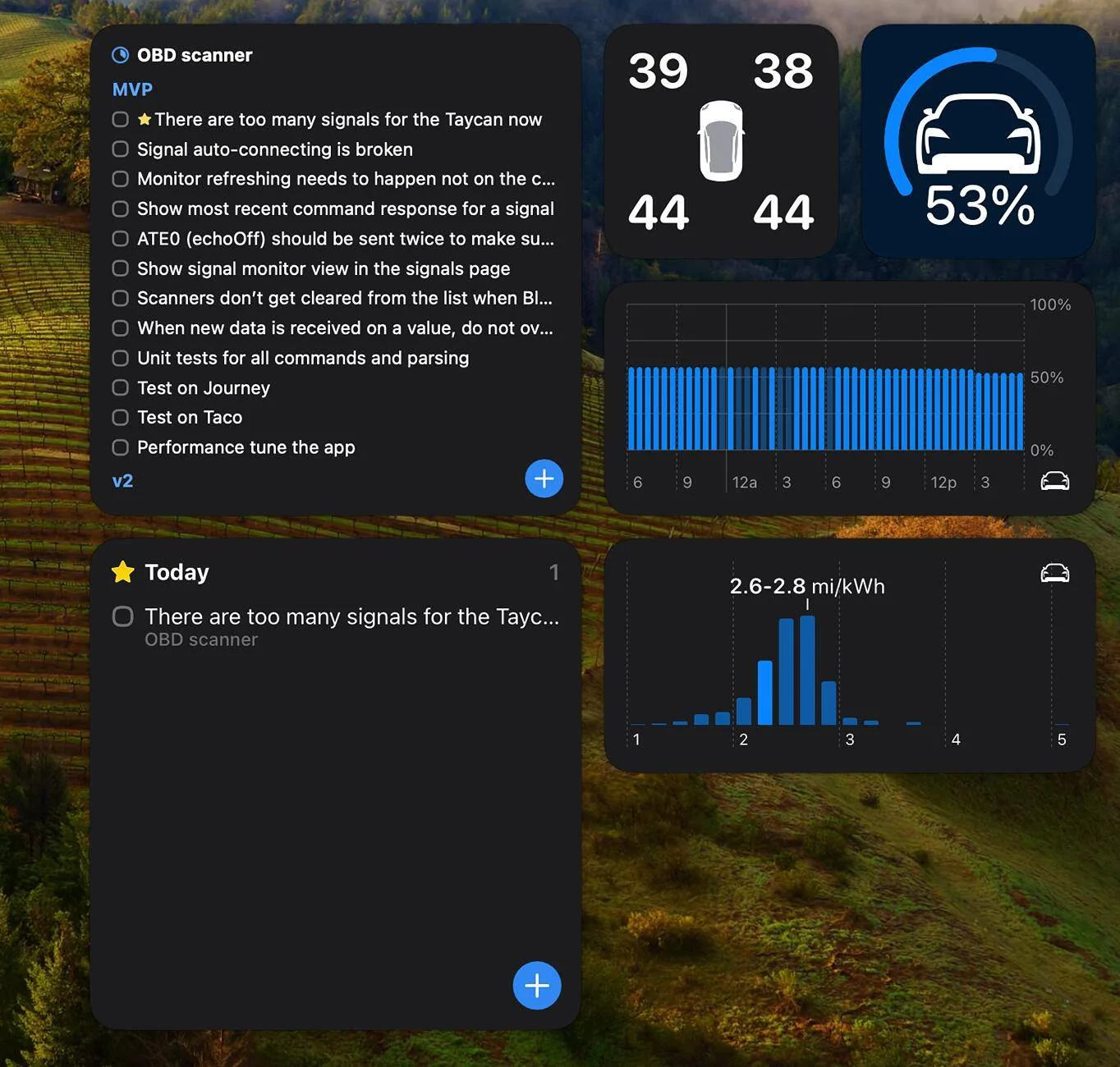
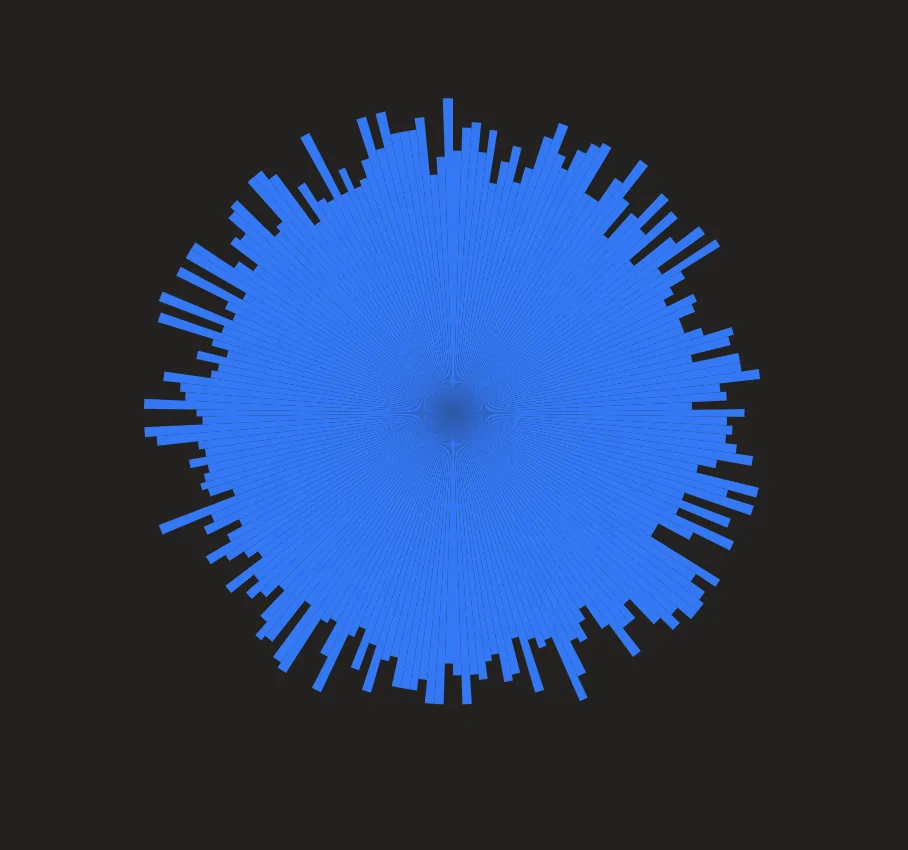
Playing with some potential visualizations of the battery charge state. Thinking this could be a fun little widget / watch complication:

Porsche Taycan Interested in an unofficial Apple Watch app? Screenshot 2024-03-10 at 10.52.09 PM
 
OP
OP
electricsidecar

electricsidecar

Well-Known Member
Joined
Oct 15, 2022
Threads
8
Messages
647
Reaction score
830
Location
USA
Website
electricsidecar.app
Vehicles
Volcano Gray Taycan 2022
Country flag
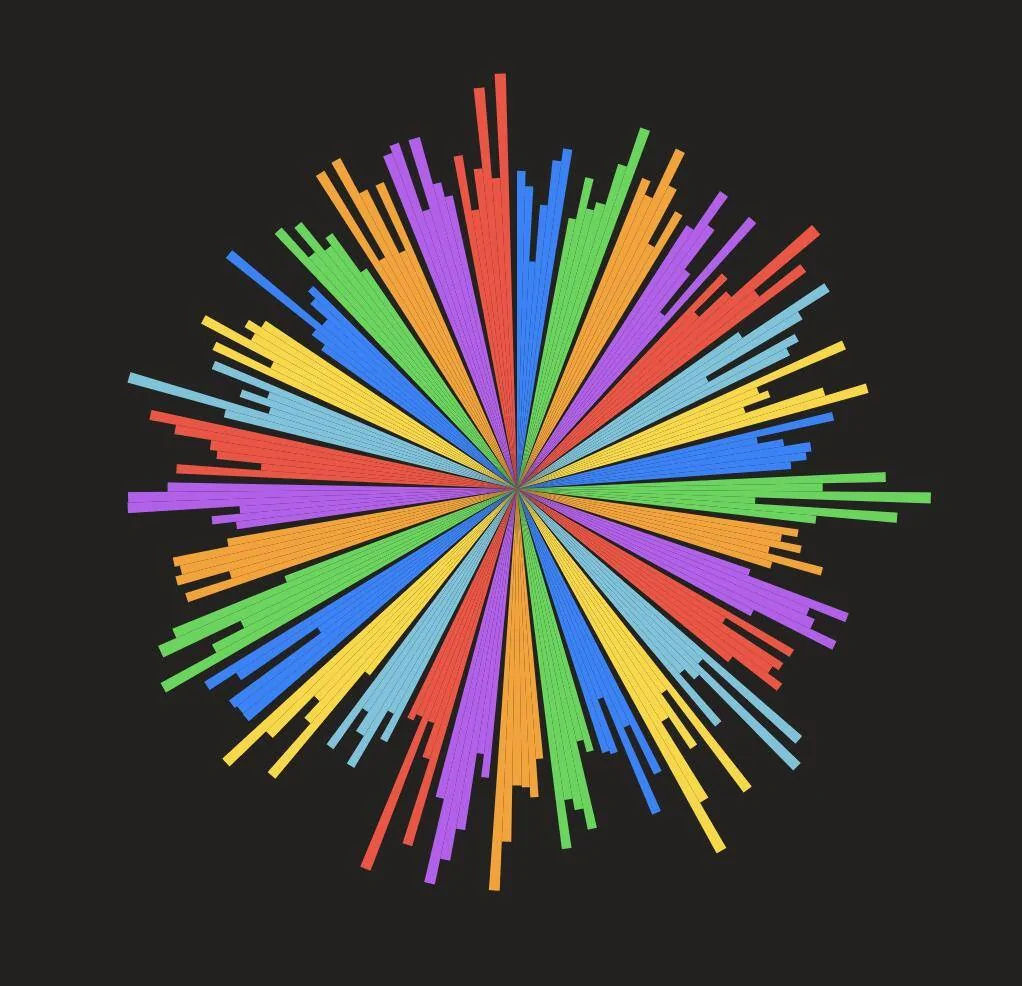
Coloring by module. Funky but not super practical, will probably want modules to be colored using the charge widget color bucket preferences.

Porsche Taycan Interested in an unofficial Apple Watch app? Screenshot 2024-03-10 at 11.09.28 PM


B61

Well-Known Member
First Name
Bine
Joined
May 31, 2021
Threads
10
Messages
2,722
Reaction score
1,724
Location
SI
Vehicles
4S (8/2025), CT4 (9/2021-8/2025, 65k km)
Country flag
Ahh so I looked into this and it seems that it's unfortunately impossible to connect to the MX+ unless I get Electric Sidecar officially registered with the company that makes OBDLink. This is likely something I'll be able to do long-term once Electric Sidecar is launched and in the App Store, but in the short term I'm not sure they'd be open to adding Electric Sidecar to their cleared list of apps just yet.

Unfortunately this means Electric Sidecar won't be able to work with the MX+ at all for now, but there's thankfully plenty of cheap alternatives that work pretty well!
Understood.
I’ll try to send MX+ back to Amazon then i’ll buy something else.
Looks that @Scandinavian won’t be happy as well
 
OP
OP
electricsidecar

electricsidecar

Well-Known Member
Joined
Oct 15, 2022
Threads
8
Messages
647
Reaction score
830
Location
USA
Website
electricsidecar.app
Vehicles
Volcano Gray Taycan 2022
Country flag
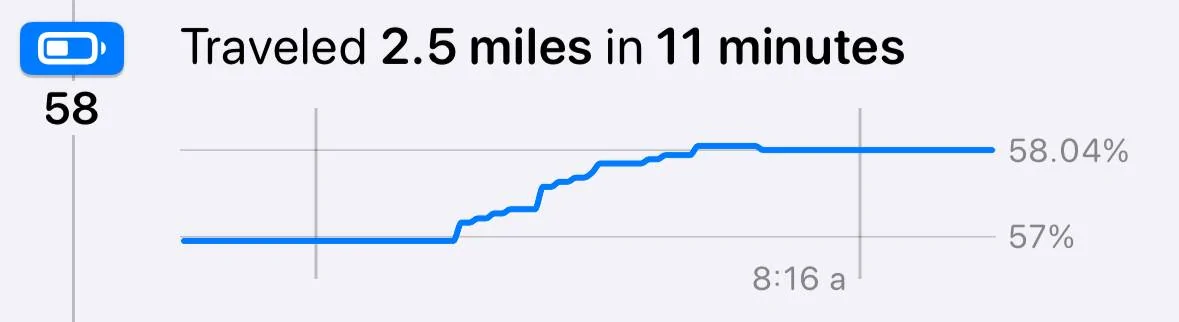
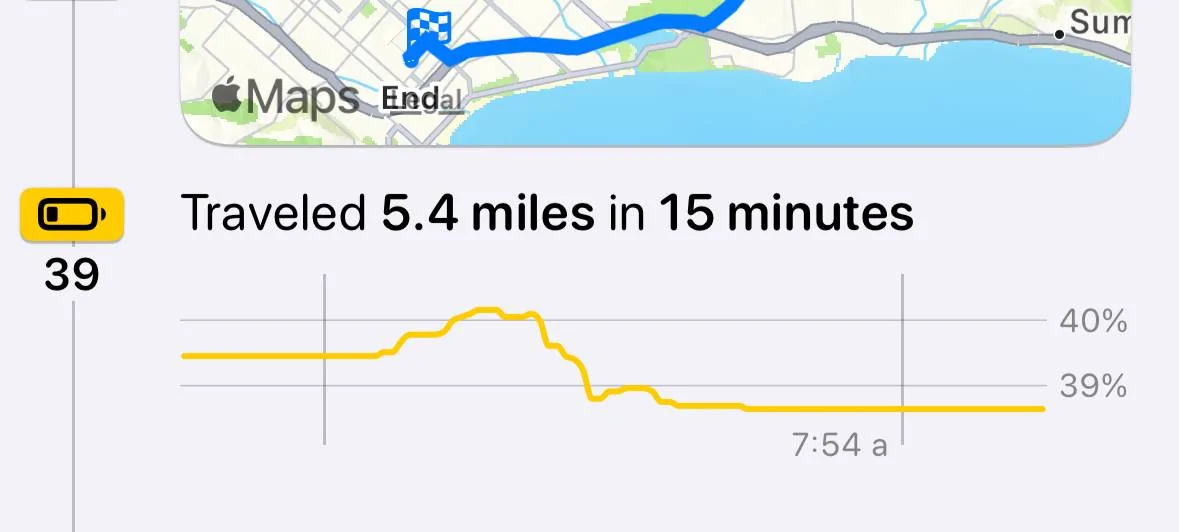
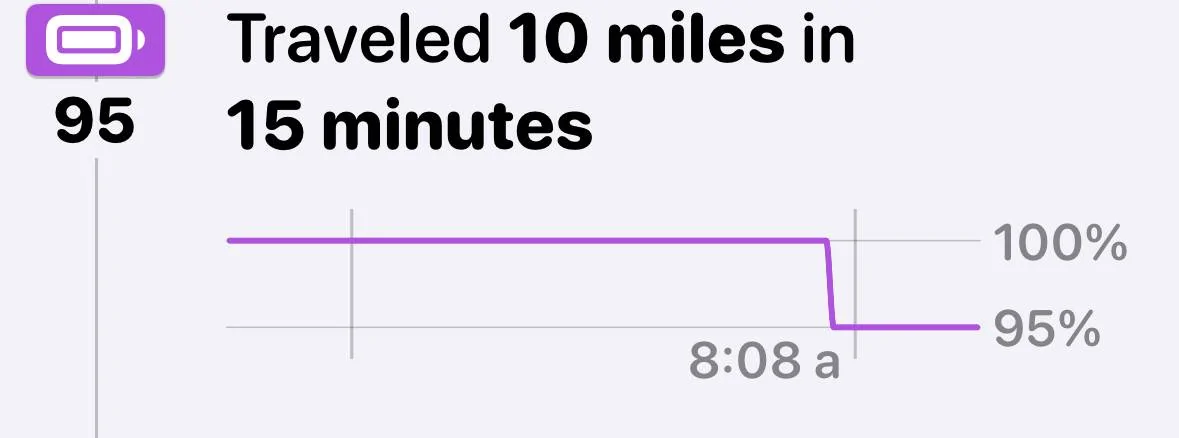
Just noticed something interesting now that I'm getting more granular trip logs with the OBD scanner attached: some trips I actually gain charge!

Here's the chart for my trip from home to school drop-off in the morning, which is mostly downhill:

Porsche Taycan Interested in an unofficial Apple Watch app? IMG_0891


And another one from a trip that starts downhill before going along the highway:

Porsche Taycan Interested in an unofficial Apple Watch app? IMG_0892


I wonder if I can detect if regen modes are on via OBD, could be an interesting way to see how effective regen is in practice (I always turn it off).
 
Last edited:
OP
OP
electricsidecar

electricsidecar

Well-Known Member
Joined
Oct 15, 2022
Threads
8
Messages
647
Reaction score
830
Location
USA
Website
electricsidecar.app
Vehicles
Volcano Gray Taycan 2022
Country flag
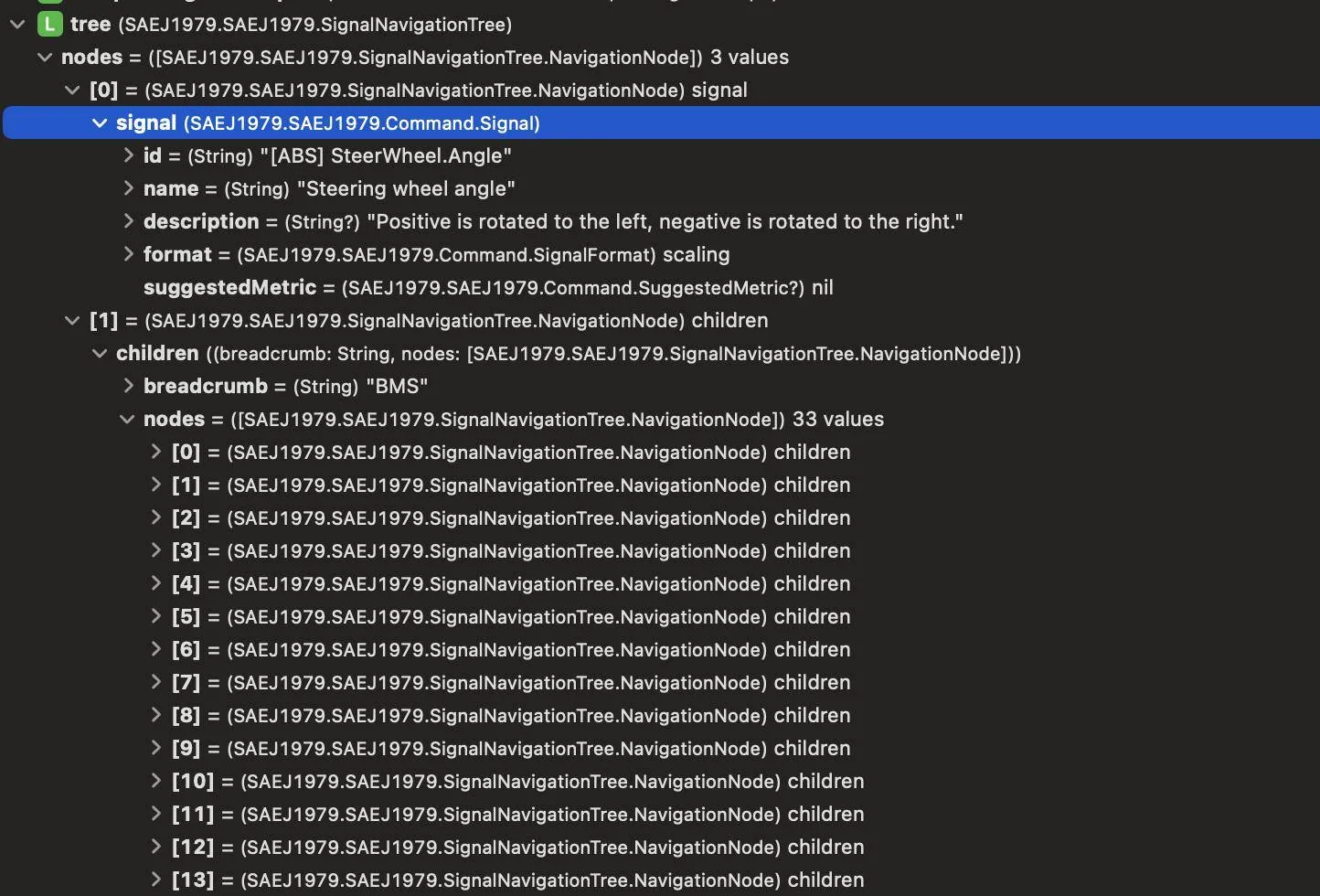
Now that the Taycan is starting to get on the order of hundreds of signals, I'm applying some algorithmic fun to turn the flat list of vehicle parameters into a tree of signals:

Porsche Taycan Interested in an unofficial Apple Watch app? Screenshot 2024-03-11 at 4.06.48 PM


This will manifest in the UI as drill-down navigation. Search will traverse the tree and surface any matching results in a flat list for quicker navigation.


Hirschaj

Well-Known Member
First Name
Jim
Joined
Sep 5, 2021
Threads
68
Messages
2,223
Reaction score
2,617
Location
Austin TX
Vehicles
2022 Taycan CT4 - Mamba Green, 2022 Challenger
Country flag
Do you have to do anything special in the app to get that kind of granularity? I tried to use the scanner this morning, it connected just fine, but no granular chart like yours. My chart looked the same as when I don’t use the scanner. (The high state of charge is because I’m trying the rebalancing procedure. )


Porsche Taycan Interested in an unofficial Apple Watch app? IMG_1358
 
OP
OP
electricsidecar

electricsidecar

Well-Known Member
Joined
Oct 15, 2022
Threads
8
Messages
647
Reaction score
830
Location
USA
Website
electricsidecar.app
Vehicles
Volcano Gray Taycan 2022
Country flag
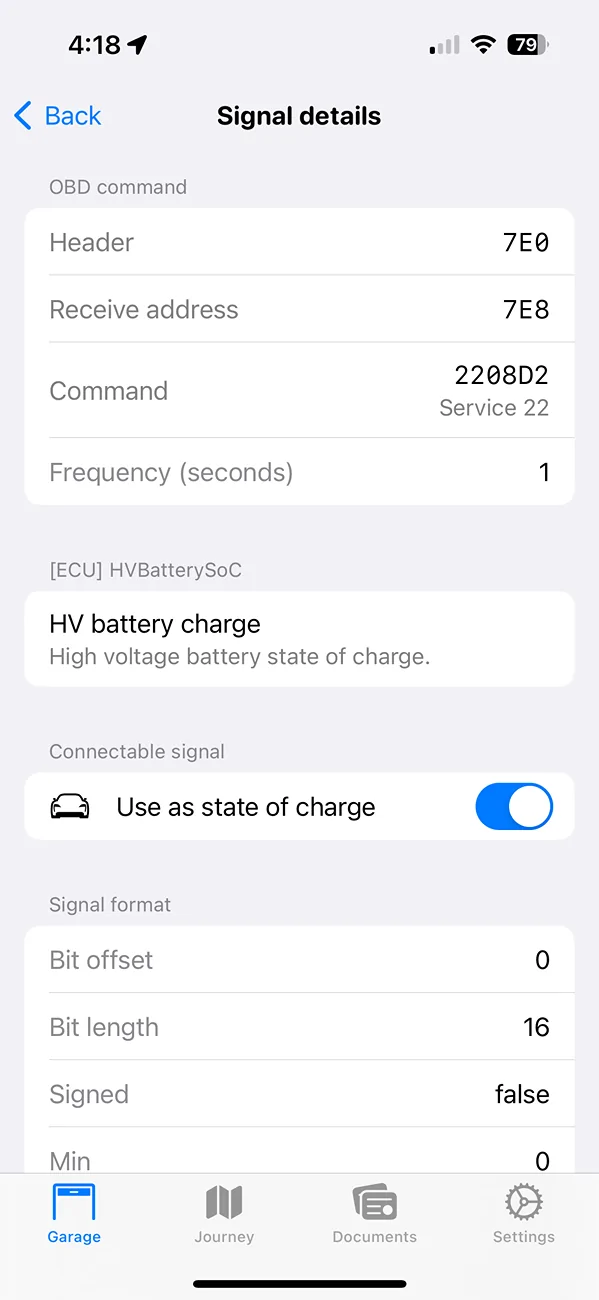
If you search for "HV battery charge" in your vehicle parameters list, you should see a screen like this:

Porsche Taycan Interested in an unofficial Apple Watch app? IMG_0893 2


Make sure that the "Use as state of charge" option is enabled, and then it will start using this parameter as your car's state of charge everywhere in the app (including trip logs).

Electric Sidecar is supposed to automatically select this signal for you but it's possible with all of the shuffling around in the last couple of releases that I broke something here.

Let me know if the parameter wasn't already turned on because it should have been.

But if the parameter was on then something else might be afoot. To check that, next time you're in your car with the scanner connected, open the scanner's terminal and toggle on the "signals" filter. You should see your car's state of charge stream past in the terminal.
 
OP
OP
electricsidecar

electricsidecar

Well-Known Member
Joined
Oct 15, 2022
Threads
8
Messages
647
Reaction score
830
Location
USA
Website
electricsidecar.app
Vehicles
Volcano Gray Taycan 2022
Country flag
Ah also Electric Sidecar doesn't auto-connect to scanners as well as I'd like it to when you start trips, so for this early phase of testing it's good to confirm that the app is actually connected to the scanner by opening it and verifying that the OBD scanner badge is shown on your car.
 
OP
OP
electricsidecar

electricsidecar

Well-Known Member
Joined
Oct 15, 2022
Threads
8
Messages
647
Reaction score
830
Location
USA
Website
electricsidecar.app
Vehicles
Volcano Gray Taycan 2022
Country flag
Do you have to do anything special in the app to get that kind of granularity? I tried to use the scanner this morning, it connected just fine, but no granular chart like yours. My chart looked the same as when I don’t use the scanner. (The high state of charge is because I’m trying the rebalancing procedure. )


IMG_1358.jpeg
Yes, I did break the auto signal connecting behavior ? Will get a fix landed in the next release!
 
OP
OP
electricsidecar

electricsidecar

Well-Known Member
Joined
Oct 15, 2022
Threads
8
Messages
647
Reaction score
830
Location
USA
Website
electricsidecar.app
Vehicles
Volcano Gray Taycan 2022
Country flag
Ok I officially have a new goal of making it so that Electric Sidecar can generate trip logs that look like this:

Porsche Taycan Interested in an unofficial Apple Watch app? Screenshot 2024-03-11 at 9.35.01 PM


:D
 
  • Like
Reactions: B61
OP
OP
electricsidecar

electricsidecar

Well-Known Member
Joined
Oct 15, 2022
Threads
8
Messages
647
Reaction score
830
Location
USA
Website
electricsidecar.app
Vehicles
Volcano Gray Taycan 2022
Country flag
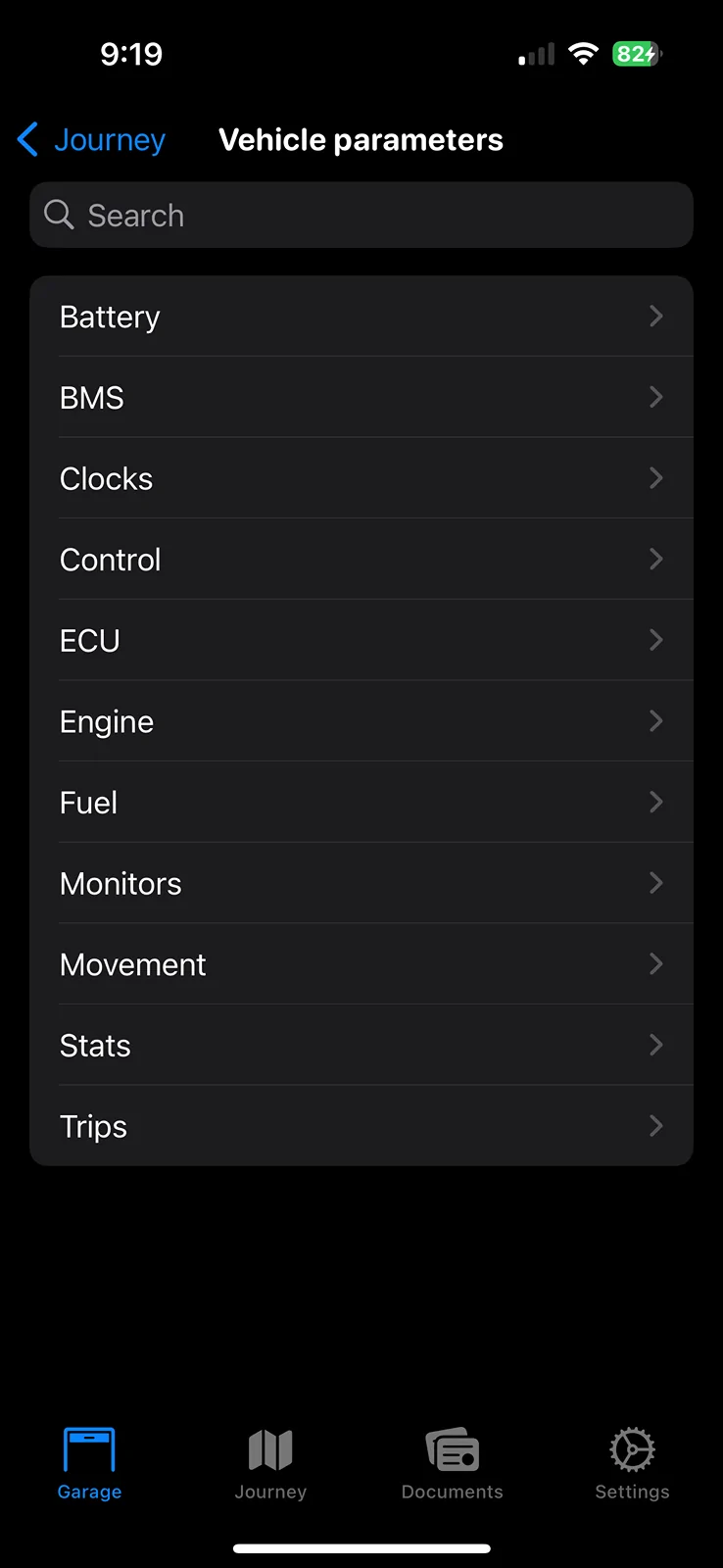
Working on unifying all of the emergent UI elements of the scanner functionality into a single page called "Vehicle parameters". Rather than organize parameters by the system that generates them solely (e.g. ECU/BMS/ABS), I'm organizing the parameters into groups of similar-purpose:

Porsche Taycan Interested in an unofficial Apple Watch app? IMG_0925 2


This single page will now be visible whether you're connected to your car or not, and it will surface all parameters your vehicle has access to which can be one of three sources:

1. A connected account (e.g. your Porsche / Toyota / Tesla account)
2. Generic OBD scanner parameters
3. Community scanner parameters (hosted on GitHub under a creative commons license)

This view lets you search parameters quickly and every parameter will show its most recent value in place, in addition to any explanations about the meaning of the parameter. Medium term I'll also make it easy to see the historical values of each signal as a chart.

This work will replace the "Community monitors" and "Detected monitors" pages and will be accessible from any vehicle page and the connected device settings page. When connected to a scanner, live values from your vehicle will be pulled automatically when looking at a given parameter.
Sponsored


Top