
Hirschaj
Well-Known Member
- First Name
- Jim
- Joined
- Sep 5, 2021
- Threads
- 68
- Messages
- 2,223
- Reaction score
- 2,617
- Location
- Austin TX
- Vehicles
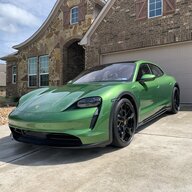
- 2022 Taycan CT4 - Mamba Green, 2022 Challenger

- Thread starter
- #1
I was inspired by @whitex posting a thread about installing a Verizon network extender in his garage to get an LTE signal to his car. I have very poor and spotty Verizon coverage at my house. Sometimes I can successfully use the MyPorsche app to start pre-heat/cool when the car is in my garage. This has never worked when the car is parked in my driveway. So I went out to eBay and snagged a used ASK-SFE116 Verizon network extender. That was the easy part...
The network extender requires placement near a window so that it can get a GPS signal (it has a 25 foot long cord for the GPS antenna). It also requires a direct connection to a router via an ethernet cable. Of course, it also requires a power outlet. It also needs to be placed within about 30 feet of where you want to get reception. All of these things can be managed fairly easily by most people.
Here's where the problem arose. After getting everything installed properly and adding the network extender to my DMZ (using my router configuration software) the device go stuck at "Connecting to SeGW server". A Google search led me to the conclusion that the network extender needs to be provisioned to an existing Verizon account so that their network will let it connect. (ChatGPT did not suggest this as a solution to the problem BTW). I'm not a Verizon customer so I don't have an account. I called their support line to figure out a solution. They were considering how they could add it using my vehicle IMEI but the call got disconnected and my car was at the dealer getting new tires anyway so I didn't get any resolution.
A short while later I realized my brother was a Verizon customer and got him to chat with support and get the device added to his account. The key language here was "provision the network extender". First level support had no idea how to do this. They tried a few things but ultimately they failed. They escalated to the next level of support and we got the right person. Within a couple of minutes they got it provisioned and the network extender moved past "Connecting to SeGW server" through the rest of the process and started working as expected.
Now I get a green dot next to my vehicle name in the MyPorsche app every time (so far... fingers crossed that this continues). I have not tried with my car parked in the driveway yet but I anticipate that will work every time too. Hopefully this will help someone in the future.
If you happen to get one of these devices provisioned without any Verizon account please share that information in this thread to help out the next person.
The network extender requires placement near a window so that it can get a GPS signal (it has a 25 foot long cord for the GPS antenna). It also requires a direct connection to a router via an ethernet cable. Of course, it also requires a power outlet. It also needs to be placed within about 30 feet of where you want to get reception. All of these things can be managed fairly easily by most people.
Here's where the problem arose. After getting everything installed properly and adding the network extender to my DMZ (using my router configuration software) the device go stuck at "Connecting to SeGW server". A Google search led me to the conclusion that the network extender needs to be provisioned to an existing Verizon account so that their network will let it connect. (ChatGPT did not suggest this as a solution to the problem BTW). I'm not a Verizon customer so I don't have an account. I called their support line to figure out a solution. They were considering how they could add it using my vehicle IMEI but the call got disconnected and my car was at the dealer getting new tires anyway so I didn't get any resolution.
A short while later I realized my brother was a Verizon customer and got him to chat with support and get the device added to his account. The key language here was "provision the network extender". First level support had no idea how to do this. They tried a few things but ultimately they failed. They escalated to the next level of support and we got the right person. Within a couple of minutes they got it provisioned and the network extender moved past "Connecting to SeGW server" through the rest of the process and started working as expected.
Now I get a green dot next to my vehicle name in the MyPorsche app every time (so far... fingers crossed that this continues). I have not tried with my car parked in the driveway yet but I anticipate that will work every time too. Hopefully this will help someone in the future.
If you happen to get one of these devices provisioned without any Verizon account please share that information in this thread to help out the next person.
Sponsored


