Sponsored

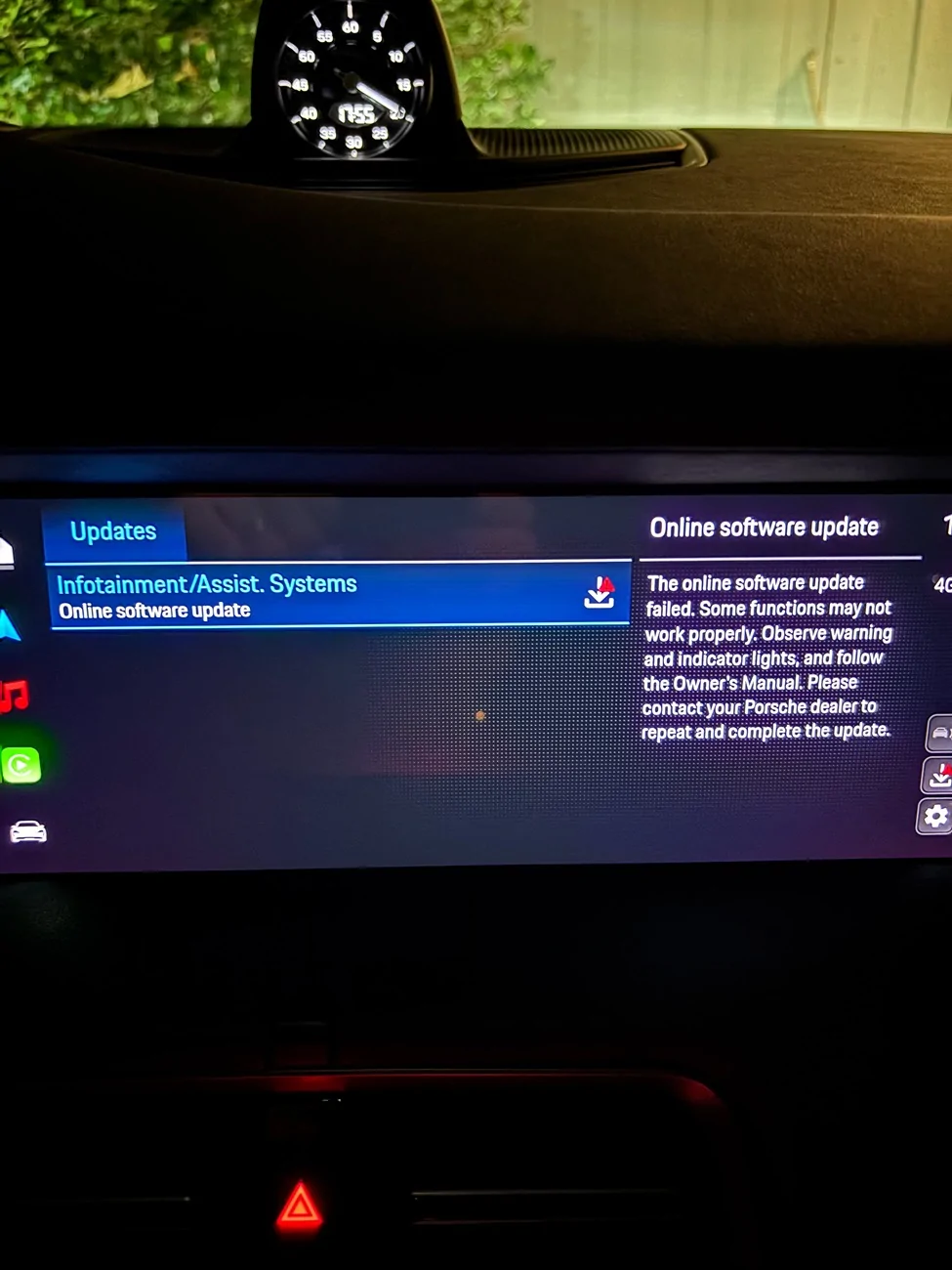
Online Software Update Failed message in PCM

Tambrose

Active Member
First Name
Tom
Joined
Apr 24, 2021
Threads
9
Messages
33
Reaction score
11
Location
Orange County, CA
Vehicles
2021 Taycan RWD
Country flag
Last Tuesday morning I got into my MY25 and had a error message. It says, "The online software update failed. Some functions may not work properly. .... Please contact your Porsche dealer to repeat and complete the update." Now I get that message twice every time I start the car. I have not noticed any other issues. The strange part is that I hadn't seen or started any updates in a while.

I'm not able to restart the update, as there are no options for that. Since the two finger reset is no longer available, I can't try that either, but an online search indicated that a PCM reset didn't work. I didn't see any solutions in my search.

I've reached out to my SA, but haven't heard back yet.

Anyone seen this? Any ideas on what to do next? Or is it time to make a service appt.?

Thanks!

Porsche Taycan Online Software Update Failed message in PCM IMG_4583
Sponsored


Watchesandburgers

Well-Known Member
First Name
Mark
Joined
Feb 11, 2024
Threads
40
Messages
429
Reaction score
519
Location
Houston, TX
Website
www.instagram.com
Vehicles
Porsche Taycan GTS
Country flag
Is the car still drivable? Can you turn off the car (long press the power button), exit the car, and lock the doors. Step away for 5 minutes and try again. If that doesn't work, do the two-finger reset in the PCM. That does still work on J1.1 cars. Hope that helps....
 

BjörnfromHamburg

Well-Known Member
First Name
Björn
Joined
Sep 7, 2024
Threads
2
Messages
744
Reaction score
740
Location
Hamburg, Germany
Vehicles
Taycan Turbo S Cross Turismo 2022, 992.2 CarreraT convertible
Country flag
A full reset can be done by disconnecting 12 Volt battery. If you have access to an OBD plug (Carscanner fe), you could erase error-codes.
There's a good possibility, your PCM acts normal afterwards.
Any further step would require dealership analysis.
 
OP
OP

Tambrose

Active Member
First Name
Tom
Joined
Apr 24, 2021
Threads
9
Messages
33
Reaction score
11
Location
Orange County, CA
Vehicles
2021 Taycan RWD
Country flag
Is the car still drivable? Can you turn off the car (long press the power button), exit the car, and lock the doors. Step away for 5 minutes and try again. If that doesn't work, do the two-finger reset in the PCM. That does still work on J1.1 cars. Hope that helps....
The car is completely drivable and I haven't noticed any issues (other that it reminding me there was an update issue every time I start the car.

The car has been powered off overnight multiple times with no change in the morning.

I believe my MY25 car has J1.2. I have not been able to get the two finger reset to work.
 
OP
OP

Tambrose

Active Member
First Name
Tom
Joined
Apr 24, 2021
Threads
9
Messages
33
Reaction score
11
Location
Orange County, CA
Vehicles
2021 Taycan RWD
Country flag
A full reset can be done by disconnecting 12 Volt battery. If you have access to an OBD plug (Carscanner fe), you could erase error-codes.
There's a good possibility, your PCM acts normal afterwards.
Any further step would require dealership analysis.
I may look into an OBD plug.

Thanks


whitex

Well-Known Member
Joined
Jul 30, 2021
Threads
87
Messages
8,220
Reaction score
7,253
Location
WA, USA
Vehicles
2023 Taycan TCT, 2024 Q8 eTron P+
Country flag
If the car is just fine, ignore it. The error will probably disappear after you shut off the car and leave it for 45m+. After that, look for another OTA notification over the next few weeks, this time read the steps (like disabling pre-conditioning) and try again. If it fails again, drop by your dealer. If new OTA message doesn't show up for over a month, drop by your dealer and ask about it.
 
Last edited:

snstevens

Well-Known Member
First Name
Sam
Joined
Jul 10, 2020
Threads
31
Messages
1,344
Reaction score
1,749
Location
Kirkland, WA United States
Vehicles
Taycan 4S
Country flag
I’m interested to know what the contents of this update are and whether everyone is getting it. Screen above says ”Entertainment” and “Assist Systems” but that doesn’t give much of a clue.

Has anyone else had a recent OTA update?
 

refazi

Well-Known Member
First Name
Refael
Joined
Mar 28, 2020
Threads
6
Messages
509
Reaction score
270
Location
San Francisco, CA
Vehicles
2025 Taycan Turbo S, 2025 Taycan CT 4, 2024 Audi e-tron RS GT
Country flag
I had this issue once and the dealer updated the car manually, now after 2 months it's showing again, i think it's a different update so i have my car scheduled for Monday to update (it's the RWD 2025)
Never had that with Gen 1 cars..


OP
OP

Tambrose

Active Member
First Name
Tom
Joined
Apr 24, 2021
Threads
9
Messages
33
Reaction score
11
Location
Orange County, CA
Vehicles
2021 Taycan RWD
Country flag
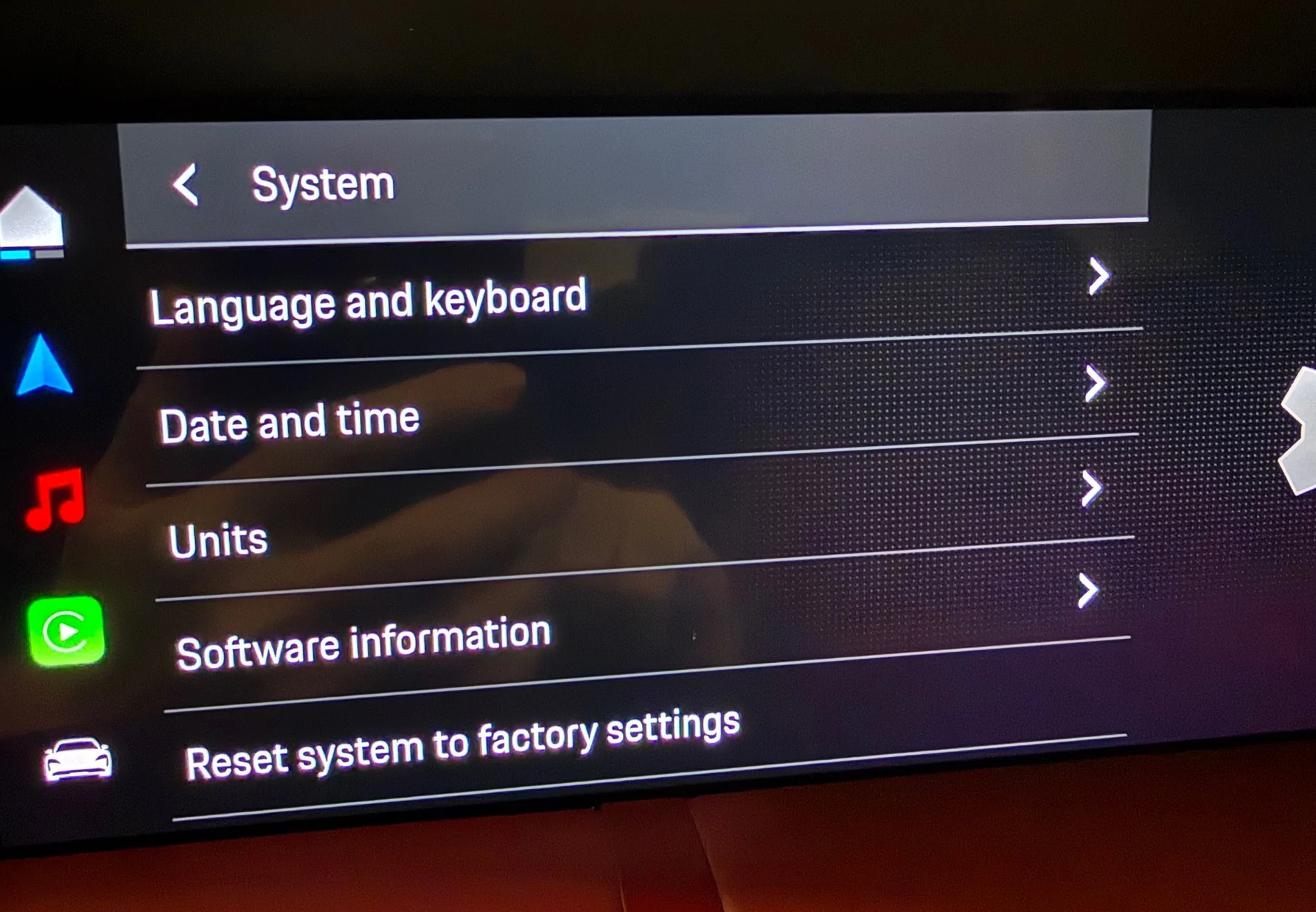
I stopped by the dealer and one of the two Taycan tech experts came out to help. After checking all of the settings, he decided a Factory Reset was the next step.

We did that, re-logged in, and got the same error message. He's opening a case with PCNA for me. We'll see what happens next.

Then I had spend some time setting up the PCM to where I like it (favorites, order of apps and media options, etc.).
 

whitex

Well-Known Member
Joined
Jul 30, 2021
Threads
87
Messages
8,220
Reaction score
7,253
Location
WA, USA
Vehicles
2023 Taycan TCT, 2024 Q8 eTron P+
Country flag
You’d think with the number of support suggested solutions starting with "do a factory reset", they'd have a way to save your preferences in the cloud and retrieve them after the reset.
 
Last edited:

WinkT

New Member
First Name
Wink
Joined
Sep 8, 2025
Threads
0
Messages
3
Reaction score
2
Location
Seattle, WA
Vehicles
Taycan 4S
Country flag
I have the same issue with my 25 4S. Tried a PCM reset to no avail. Finally took it to the dealer and after a week they were still not able to fix it. All they did was another reset which did not work. Seems to be a bug deeper in the system.
 

SoccerMan94043

Well-Known Member
Joined
Nov 24, 2025
Threads
26
Messages
690
Reaction score
458
Location
San Jose
Vehicles
2025 Taycan GTS
Country flag
I have the same issue with my 25 4S. Tried a PCM reset to no avail. Finally took it to the dealer and after a week they were still not able to fix it. All they did was another reset which did not work. Seems to be a bug deeper in the system.
How'd you do a PCM reset on a J1.2?
 
OP
OP

Tambrose

Active Member
First Name
Tom
Joined
Apr 24, 2021
Threads
9
Messages
33
Reaction score
11
Location
Orange County, CA
Vehicles
2021 Taycan RWD
Country flag
Thought I'd follow up on the conclusion.

I finally brought it in to the dealer to address this and some of the other SW recalls/updates:
- ABS2 - Reprogrammed the driver assistance systems control unit
- WSS6 - Reprogrammed the 12V battery sensor
- WSQ7 - Reprogrammed the high-voltage voltage transformer control unit

For the software update error, they:
- Attempted reset/retest of the OTA Control Unit without success
- Disconnected the battery overnight without success
- Did another factory reset without success
- Did an autoprogram of the Connect Control Unit without success
- Retested the OTA Control Unit and found it wasn't functioning properly, so it was replaced
- Had to open a ticket with Porsche to get new PCM update code and then it worked!

Got my car back after a week and half. Now everything seems to be working correctly.

I noticed that I still have the same main PCM SW version (4360) as I had before, so no change there.
Sponsored


Top