Gru
Well-Known Member
- First Name
- Damien
- Joined
- Aug 21, 2022
- Threads
- 13
- Messages
- 413
- Reaction score
- 548
- Location
- Belgium
- Vehicles
- Taycan Sport Turismo - 20"

- Thread starter
- #1
I first want to thank all those that previously posted their own installations, comments and remarks : it helped me a lot from the choice of devices to the final installation !
I had the following criteria:
- invisible (as much as possible) installation
- no hardwire to any existing wires or fuse box
- parking surveillance and 4G access
1. the dash cam:
I have to admit it took me a long time to choose one... I finally picked the 70mai Omni . Definitely not the smallest one on the market, but it has a few cool features: R2D2 design (especially in red ?) , voice control (shoot left, shoot right, take selfie, ...), a base so you can remove the dash cam if you wish so in some circumstances, and most interesting a 360° full view. (I tried to insert a video but i can't get it to work ...)
I also bought the 4G hardwire kit for remote access.


While in surveillance mode, it'll rotate and follow the suspect, and a thin red circle light (right above the rotating head) will show.
It may not have the best video resolution, but it's more than enough for what it should do.
2. the battery:
I was ready to use a normal power bank when I realized how much costs a Blackvue B-130X battery (more than 300$/€). However, after having read here (and elsewhere) the heat and charging issues that you may face with a powerbank, I went for the Blackvue battery. It has an additional USB port, an app to check its status.
3. the installation:
I'm no expert in this kind of things, so what i did, every one can do it ...
- dashcam to battery: super easy. just connect the 3 wires from the 4G kit to the 3 wires from the cable provided with the battery. Black to black... but red to yellow and yellow to red. I got it wrong at first and the camera wouldn't go into surveillance mode.
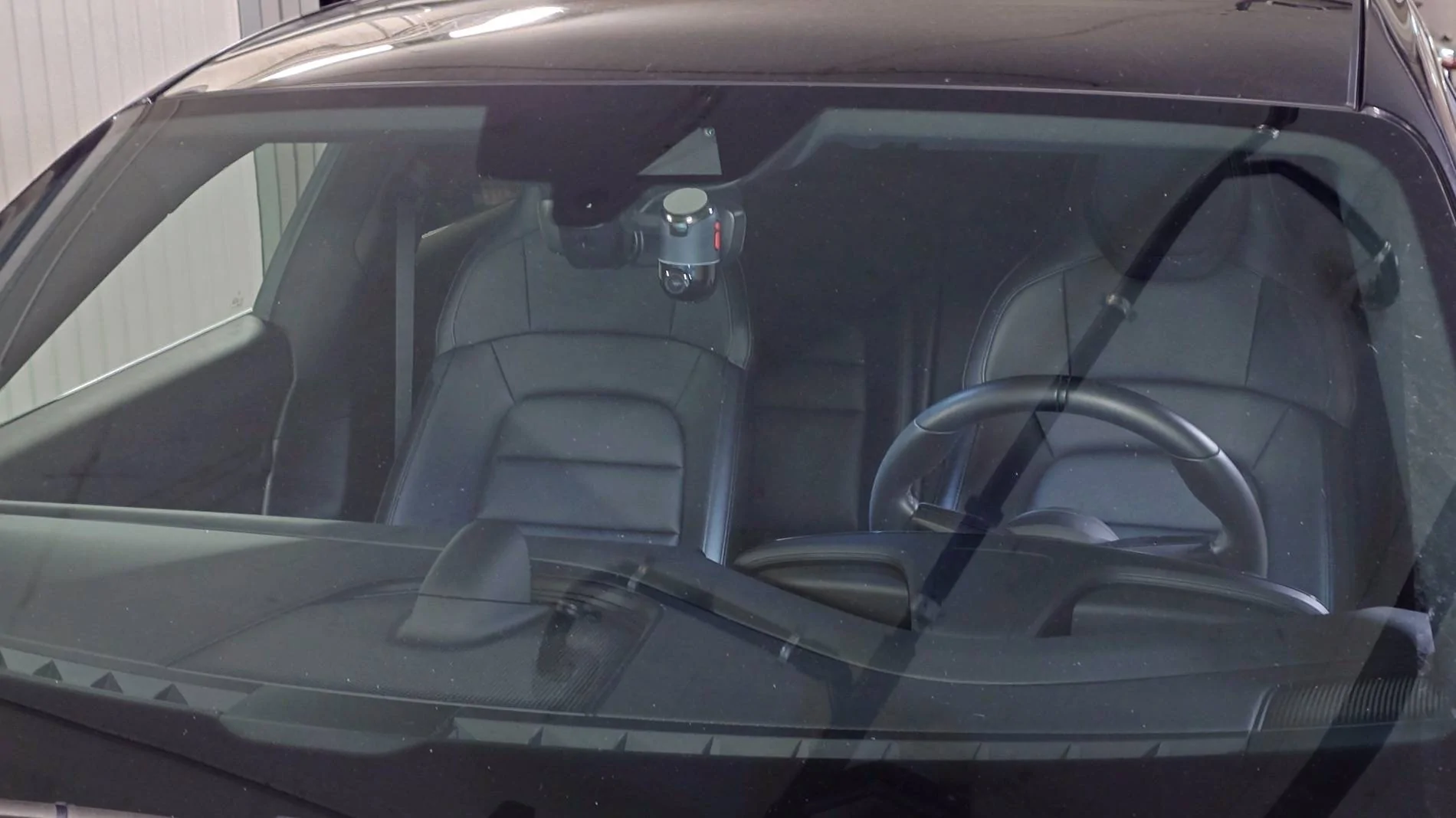
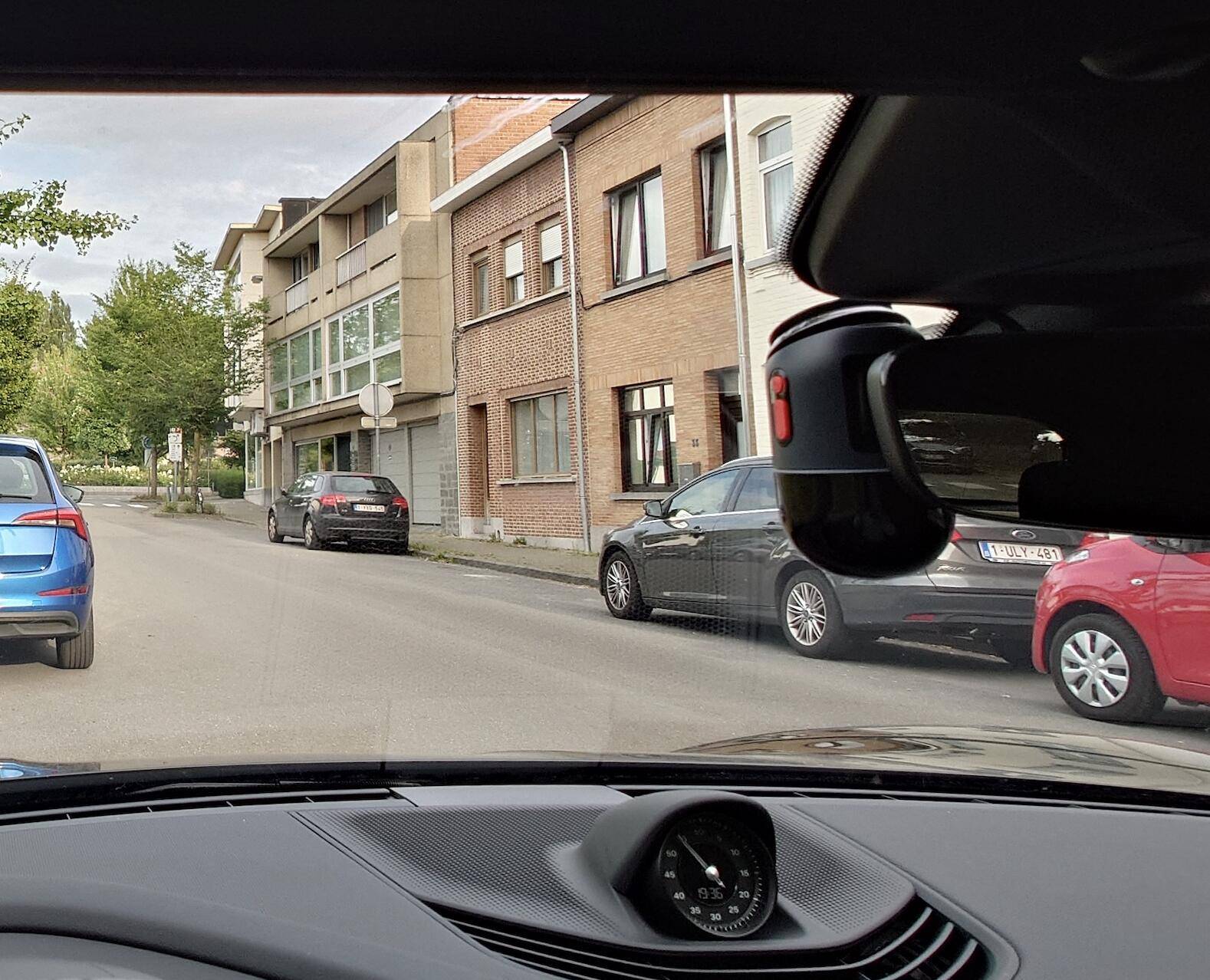
- i installed the dash cam on the left : the base hold with a sticker.
it gives me the possibility to access if i wish so some control buttons. Contrary to what the pic seems to show, it doesn't block the vision.

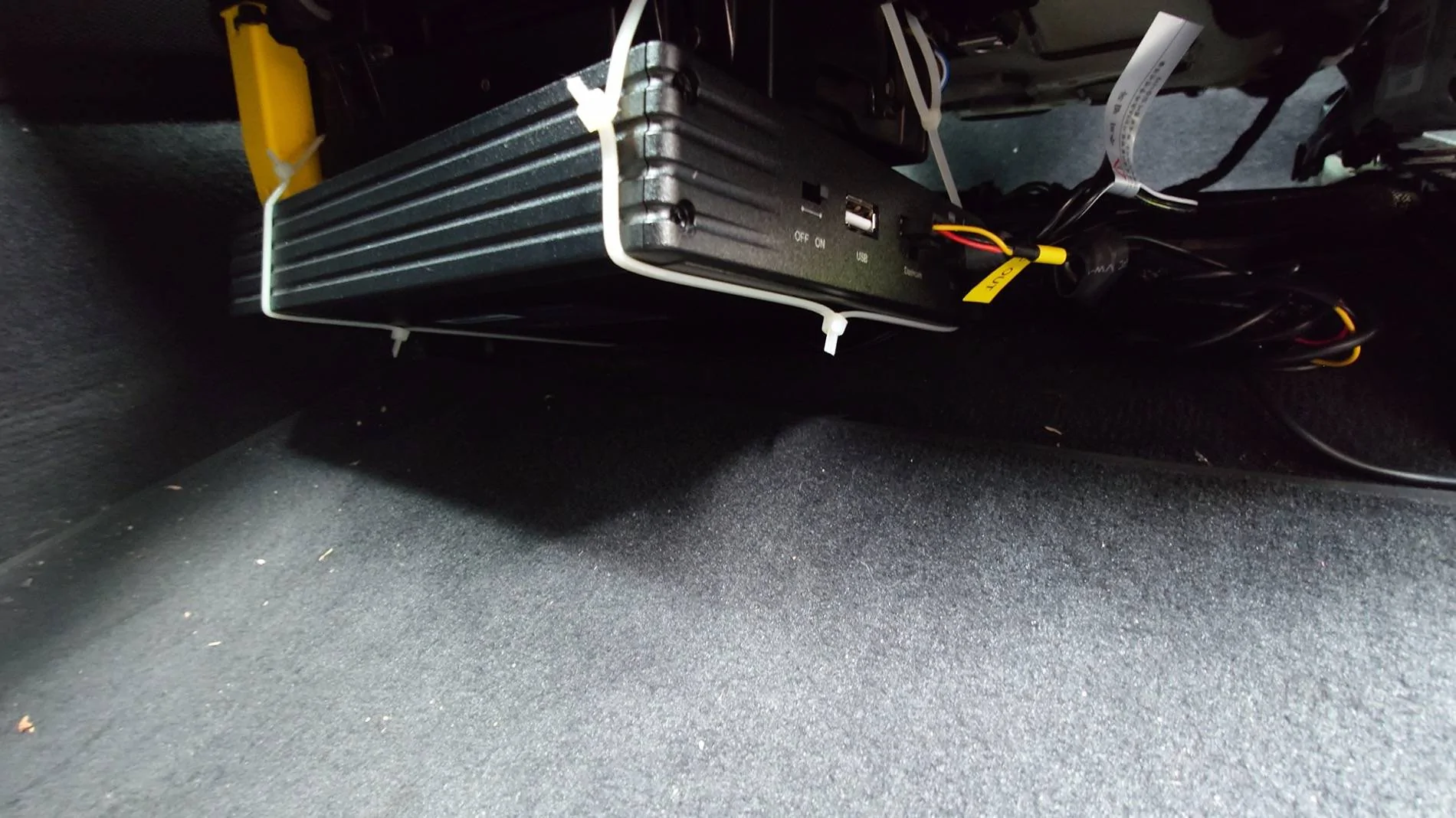
- the battery is installed under the driver seat. i can easily access it (on/off switch -USC port)... especially if it goes on fire ?
Not the cleanest installation I admit it ...

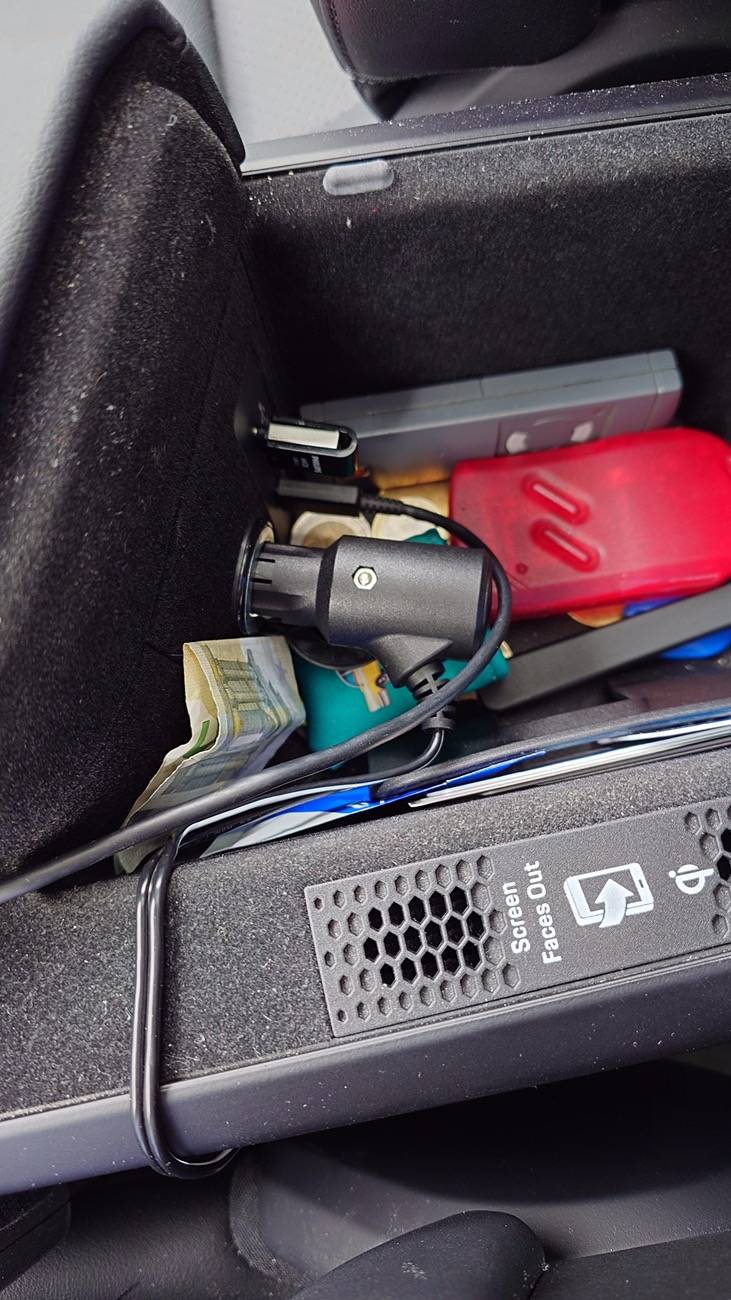
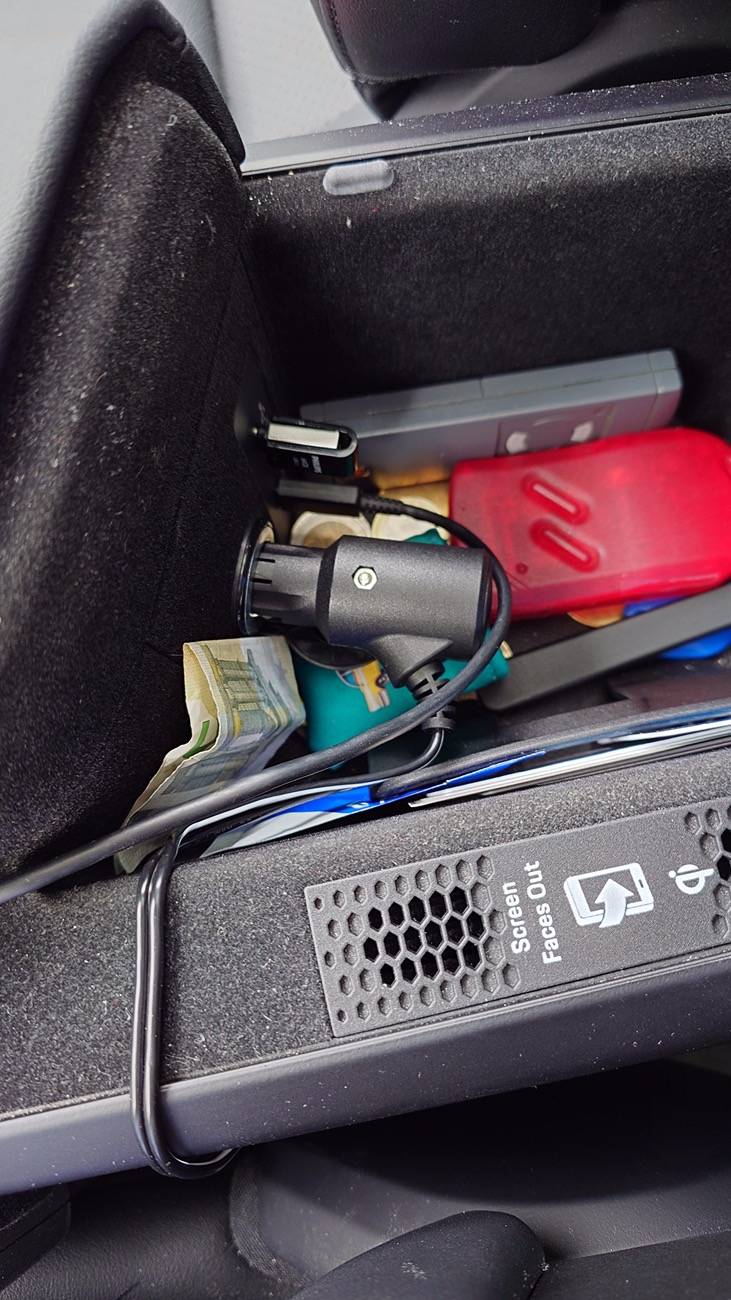
it's plugged to the 12V in the arm rest. Easy to unplug, and not much wiring

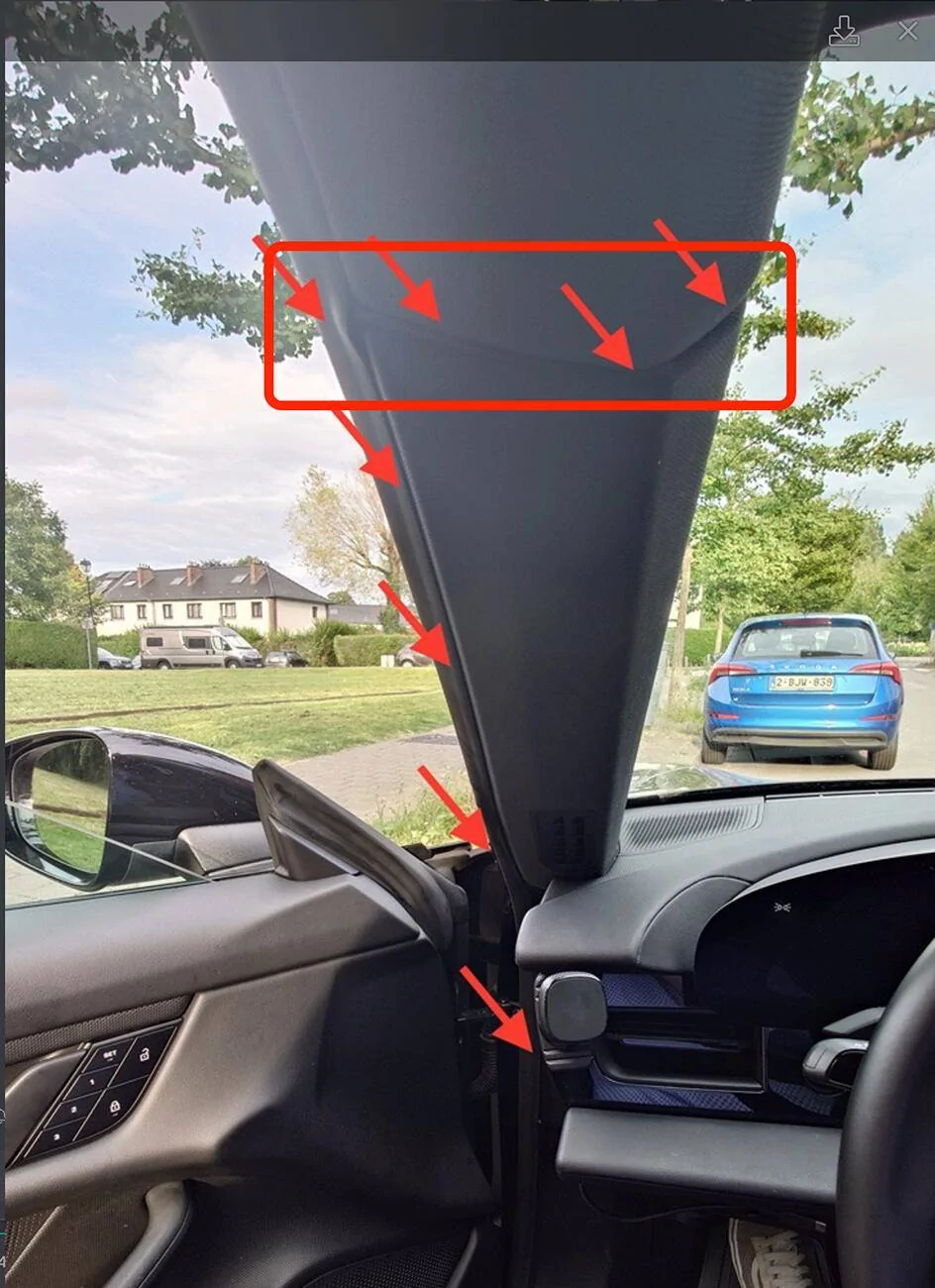
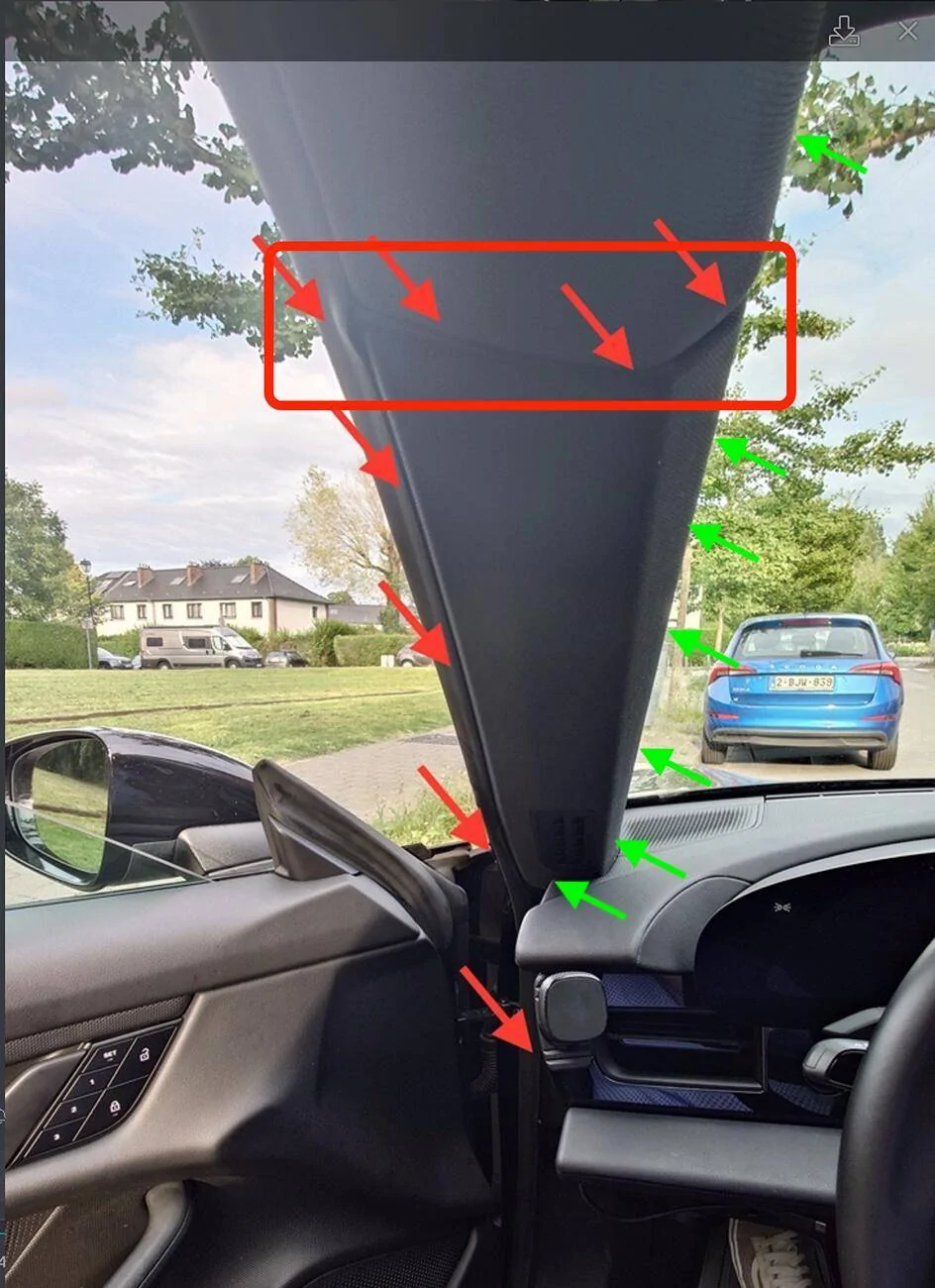
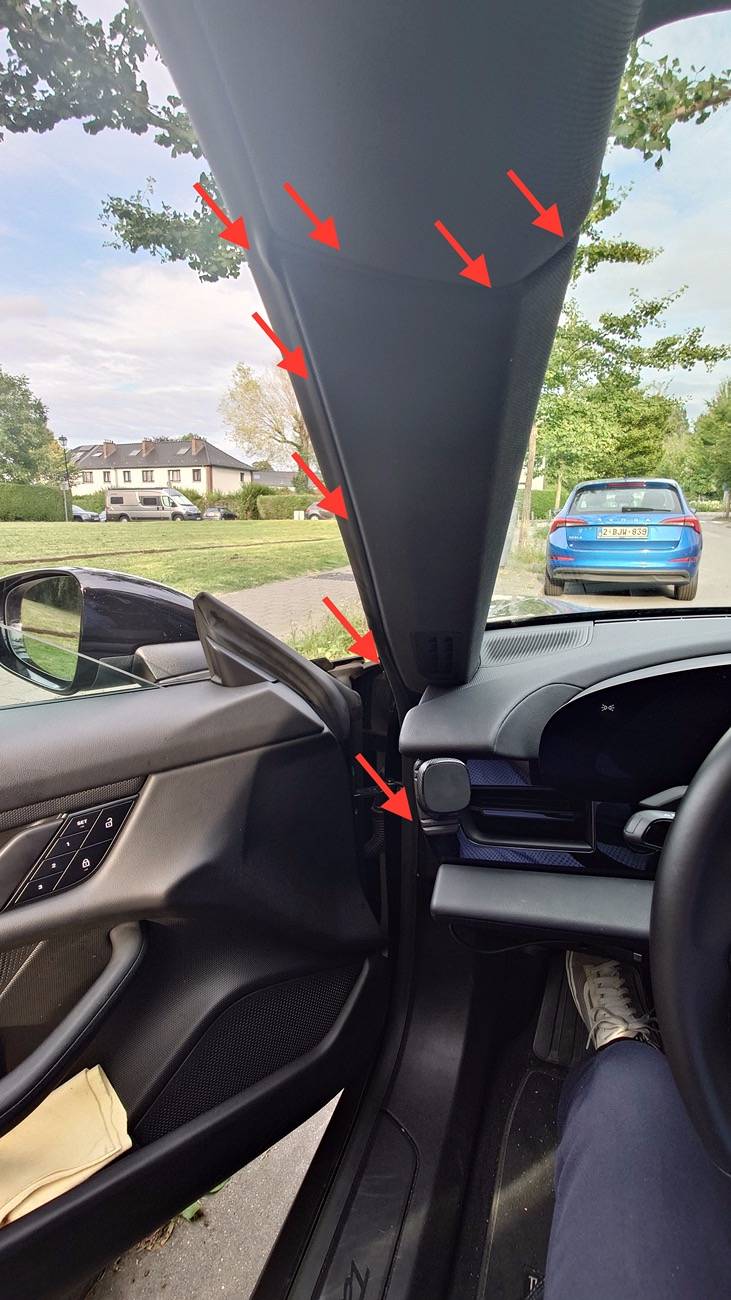
- wiring the dash cam to the battery was my main concern... I didn't want to remove the A-pillar or other parts.
It was in fact quite easy, using the tool provided with the dash cam.
I just had to push the cable all the way and it doesn't show at all.
So far, happy with the outcome: it works as expected, battery is sufficiently charged for the night when commuting to the office. I have now to monitor how long it could keep recording on a single charge.
I had the following criteria:
- invisible (as much as possible) installation
- no hardwire to any existing wires or fuse box
- parking surveillance and 4G access
1. the dash cam:
I have to admit it took me a long time to choose one... I finally picked the 70mai Omni . Definitely not the smallest one on the market, but it has a few cool features: R2D2 design (especially in red ?) , voice control (shoot left, shoot right, take selfie, ...), a base so you can remove the dash cam if you wish so in some circumstances, and most interesting a 360° full view. (I tried to insert a video but i can't get it to work ...)
I also bought the 4G hardwire kit for remote access.

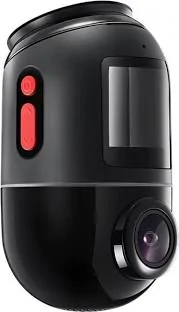
While in surveillance mode, it'll rotate and follow the suspect, and a thin red circle light (right above the rotating head) will show.
It may not have the best video resolution, but it's more than enough for what it should do.
2. the battery:
I was ready to use a normal power bank when I realized how much costs a Blackvue B-130X battery (more than 300$/€). However, after having read here (and elsewhere) the heat and charging issues that you may face with a powerbank, I went for the Blackvue battery. It has an additional USB port, an app to check its status.
3. the installation:
I'm no expert in this kind of things, so what i did, every one can do it ...
- dashcam to battery: super easy. just connect the 3 wires from the 4G kit to the 3 wires from the cable provided with the battery. Black to black... but red to yellow and yellow to red. I got it wrong at first and the camera wouldn't go into surveillance mode.
- i installed the dash cam on the left : the base hold with a sticker.
it gives me the possibility to access if i wish so some control buttons. Contrary to what the pic seems to show, it doesn't block the vision.
- the battery is installed under the driver seat. i can easily access it (on/off switch -USC port)... especially if it goes on fire ?
Not the cleanest installation I admit it ...
it's plugged to the 12V in the arm rest. Easy to unplug, and not much wiring
- wiring the dash cam to the battery was my main concern... I didn't want to remove the A-pillar or other parts.
It was in fact quite easy, using the tool provided with the dash cam.
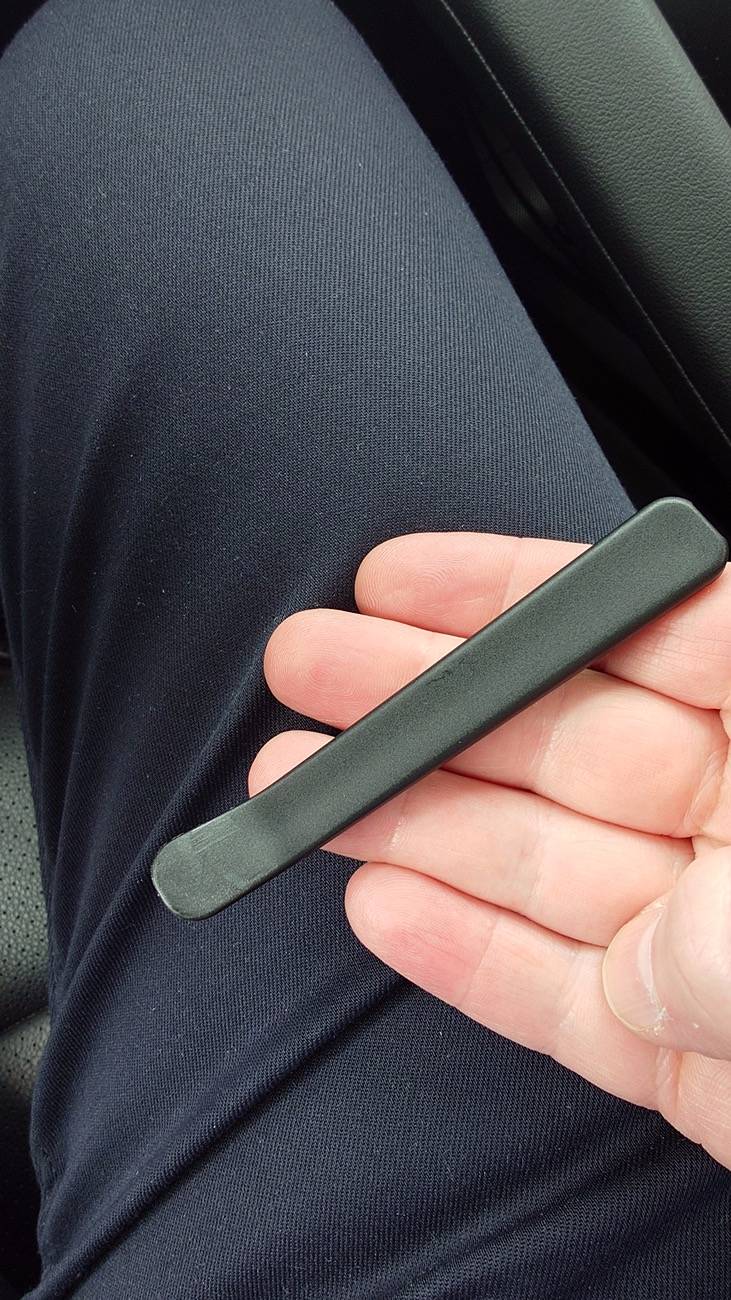
I just had to push the cable all the way and it doesn't show at all.
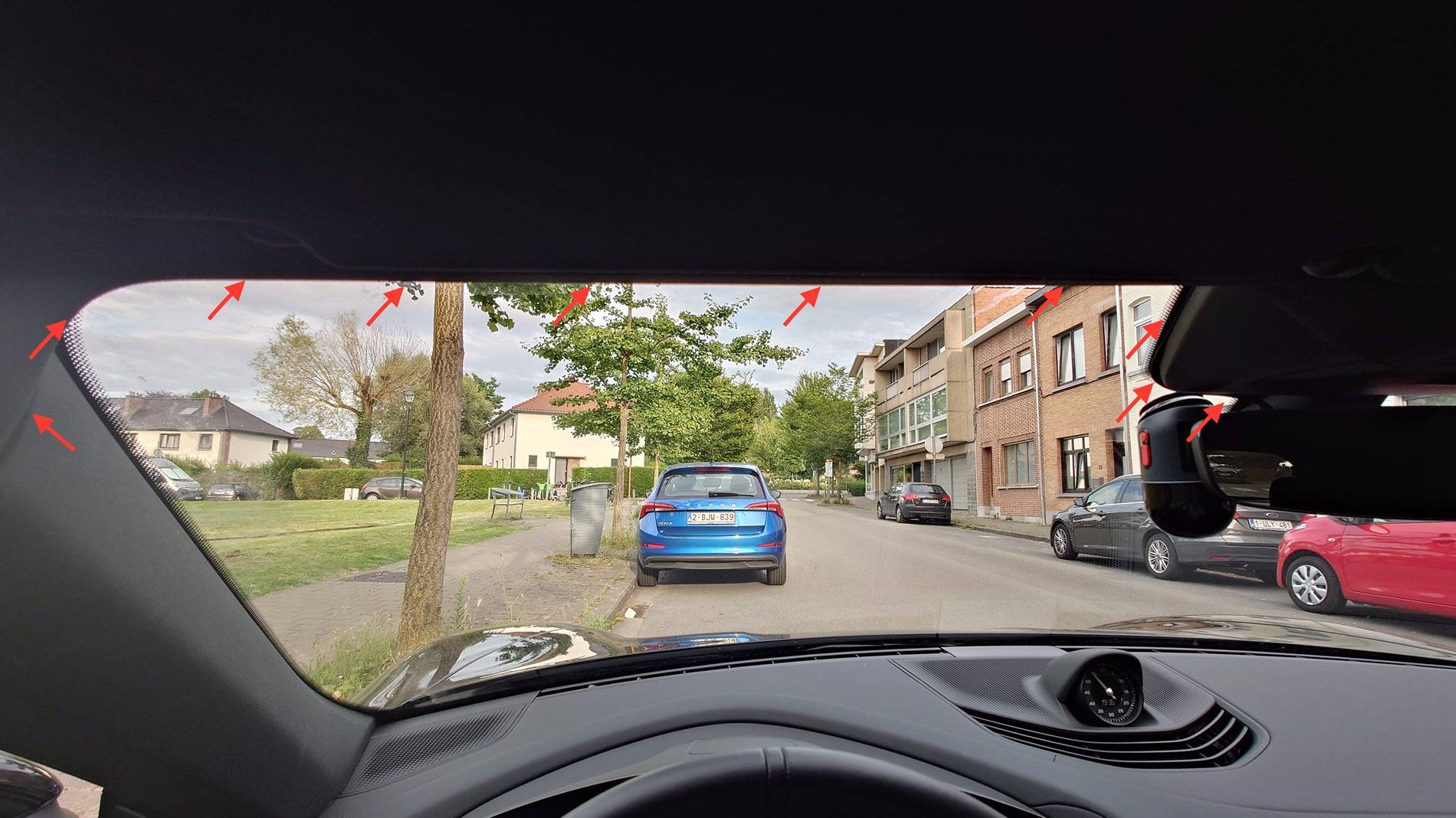
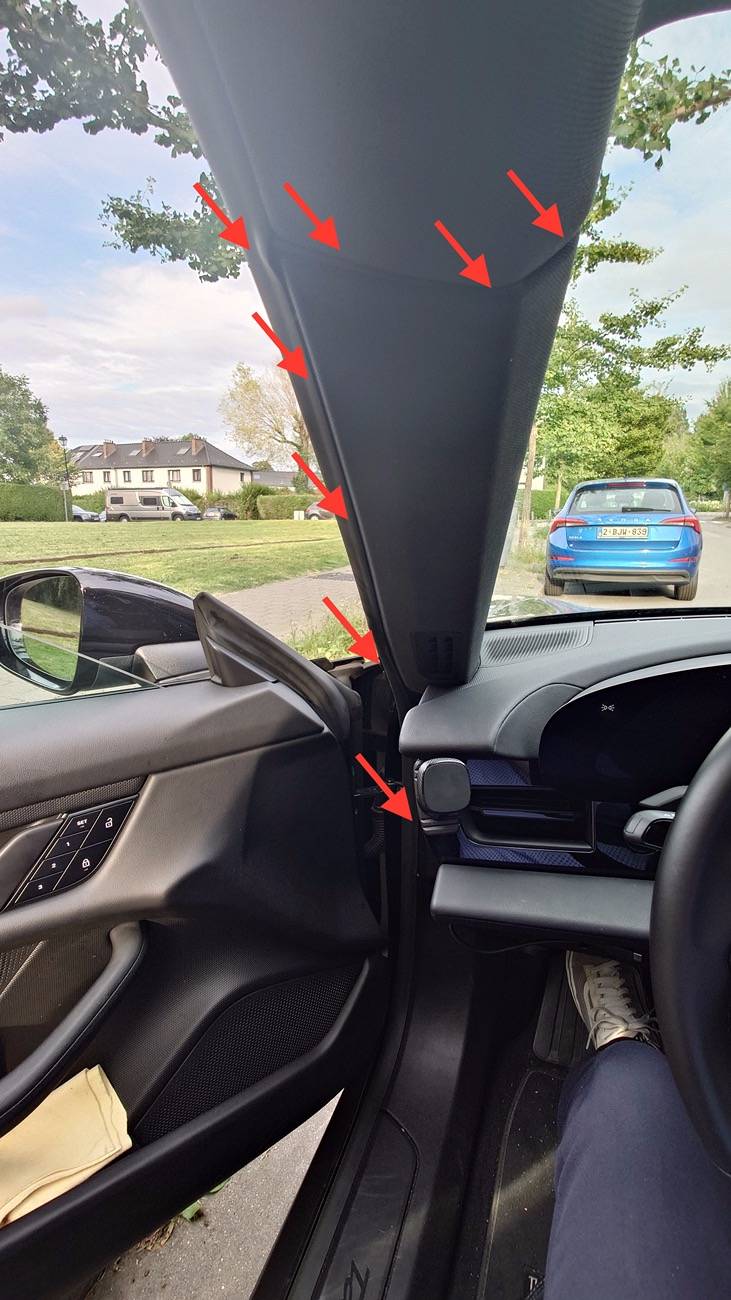
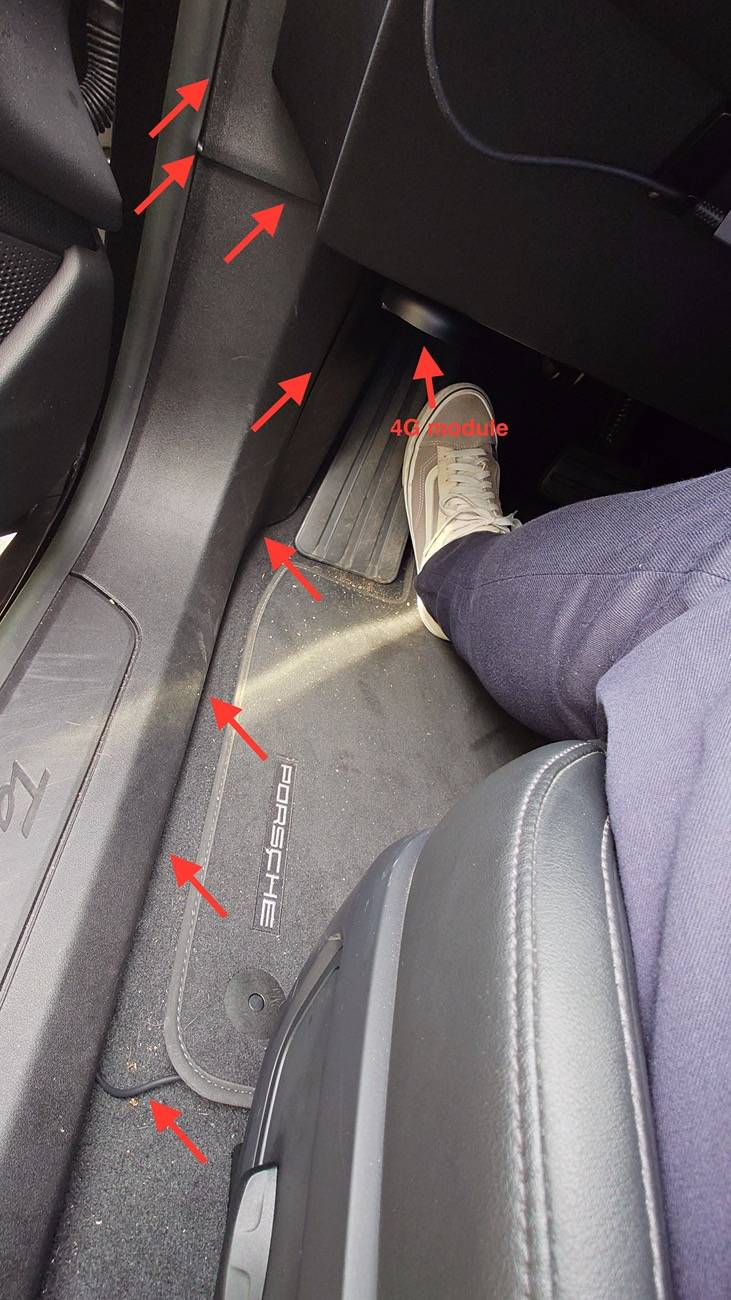
So far, happy with the outcome: it works as expected, battery is sufficiently charged for the night when commuting to the office. I have now to monitor how long it could keep recording on a single charge.
Sponsored
Last edited: